
Easy Favicon
Upload one master image. Easy Favicon builds every favicon size, removes template icons and can set a separate administrator icon.
30-day money-back guarantee

Changelog — Easy Favicon
Version 1.0.1: 19 October 2026
- Runs on Joomla 5 and 6 with the Behaviour Backward Compatibility plugins disabled
- Installer script uses the current database API
Version 1.0.0: 11 August 2026
- Initial public release of Easy Favicon for Joomla 4, 5, and 6
- System plugin only: upload one master, generate all favicon sizes
- Site and administrator icon packs, with admin reuse or override
- Dark mode favicon, Apple Touch 180, Android 192/512, maskable safe zone
- Optional multi-size ICO, theme-color meta, minimal web manifest modes
- Template conflict strip for competing favicon and apple-touch tags
- Admin preview, validation, generate-all, ZIP export, cache-busting paths
- GD preferred for raster; Imagick used for SVG or when GD cannot complete
- No jQuery and no CDN
What Easy Favicon can do for you

One image, every favicon size
Upload one square master image and Easy Favicon builds the browser, Apple and Android sizes for you.

Your icon, not the template's
Competing favicon tags from Helix, Cassiopeia and other templates are removed, so your brand shows in the tab.

A separate administrator icon
Give the backend its own icon so you can tell your sites, and their admin tabs, apart at a glance.

Looks right in dark mode
Add an optional dark master and visitors whose system prefers dark see the version made for it.

Home-screen ready on phones
Apple Touch 180 plus Android 192 and 512, with maskable icons padded into the Android safe zone.

Theme color and a tidy manifest
Set the browser theme color and write a minimal icons manifest, or let another PWA extension keep its own.

Preview, roll back, download
See the generated pack before it goes live, go back to the previous pack, or download it as a ZIP.

Replace one size by hand
Leave everything automatic, or swap in your own file for favicon.ico, the SVG, Apple 180 or Android 192 and 512.
How it works in 3 steps
Install
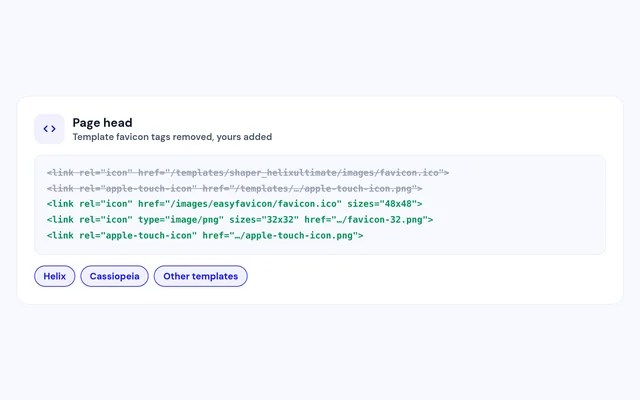
Install the plugin and open it in System, Plugins.
Upload a master
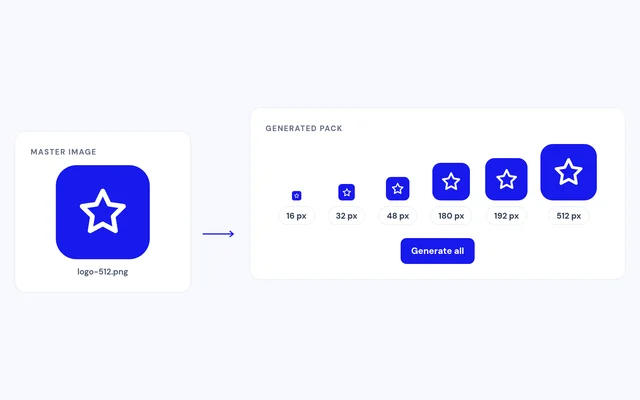
Pick one square image, and an admin or dark version if you like.
Generate
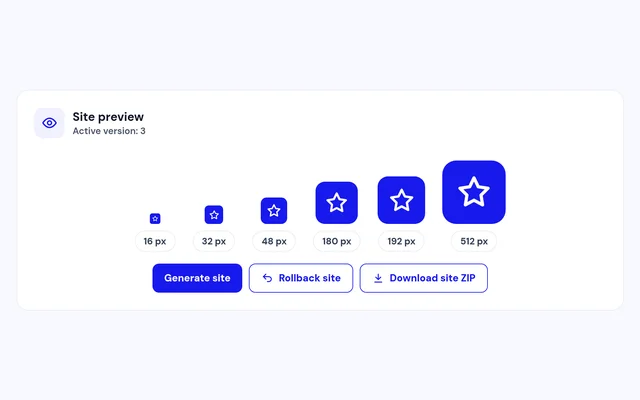
Click Generate all, preview the pack and refresh your browser tab.


Compatibility
FAQ
Which Joomla and PHP versions does it support?
Joomla 4, 5 and 6, with PHP 8.1 or later.
What image should I upload?
A square PNG of 512 x 512 or larger works best. JPEG and WebP are accepted, and SVG works best with Imagick.
Will my template's favicon get in the way?
No. Easy Favicon removes the template's favicon tags and adds its own.
Can the administrator have a different icon?
Yes. Reuse the site icons, or upload a separate administrator master with its own dark version and theme color.
I already use a PWA extension. Is that a problem?
No. Choose Defer and Easy Favicon only writes its manifest when no other one is present.
Do I have to regenerate after every change?
No. Turn on auto-generate and the pack is rebuilt each time you save the plugin.
Ready to add Easy Favicon to your site?
Read the Easy Favicon documentation, then pick a plan.
Get Easy Favicon (opens in a new window)Read the documentation (opens in a new window)