

Changelog — Easy AI Writer
Version 1.0.1: 19 October 2026
- Runs on Joomla 5 and 6 with the Behaviour Backward Compatibility plugins disabled
- Admin CSS loads through the Web Asset Manager
Version 1.0.0: 24 September 2026
- AI Writer button in the Joomla article editor for TinyMCE, CodeMirror, and the plain editor, in the administrator and on the frontend.
- Edit actions that keep your layout: Rewrite, Fix grammar, Shorten, Expand, Simplify, Change tone, Translate, Headings and lists.
- Write actions: Draft from a brief, Continue writing, Intro text, Meta description, Title ideas, and Image alt text.
- Custom actions with your own instruction, ordering, and group limits.
- Live streaming result with Stop, word diff, fact check before insert, and undo in the editor.
- Site voice, monthly request cap, keyboard shortcut, and a History screen with token counts.
- Use, Manage actions, and View history permissions. The API key never leaves the server.
What Easy AI Writer can do for you


Your layout stays put
A rewrite changes the words and keeps your paragraphs, headings, lists, classes, inline styles and Joomla shortcodes where they were.

Read it, then insert
The result sits next to the original with Show changes, then goes where you choose: in place of the selection or below it.

Facts kept in check
If the result adds a date, price, number or name that wasn't in your text, it's marked so you can keep it or discard the result.

An action for every edit
Rewrite, fix grammar, shorten, expand, simplify, change tone, translate, add headings and lists, continue, or draft from a brief.

Fill in the other fields
Write the intro text and meta description, get title ideas, and add alt text to images that have none.

Your provider, your key
Connect OpenAI, Claude, Gemini, Groq, OpenRouter, Mistral, DeepSeek, a local Ollama or LM Studio, or any OpenAI-compatible service. The key stays on your server.

Ready for your team
Set a site voice, add custom actions for chosen groups, cap monthly requests and review history with tokens used.
How it works in 3 steps
Connect
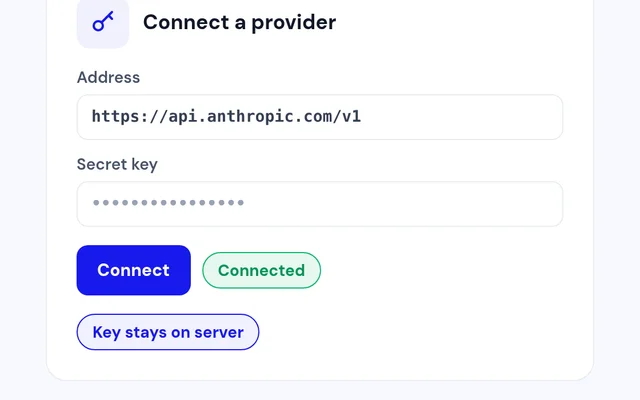
Choose a provider, paste your key, click Connect, then Save.
Select
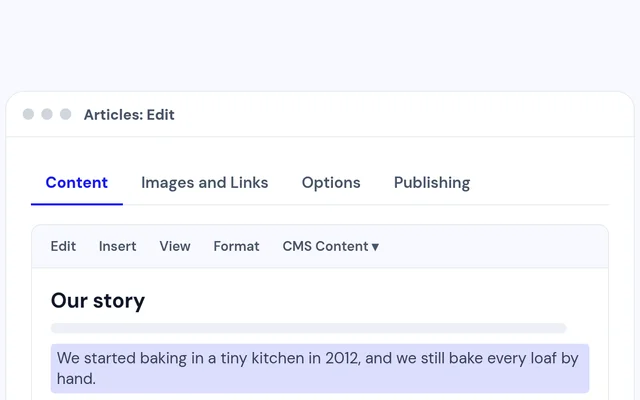
Open an article, select some text and click AI Writer.
Insert
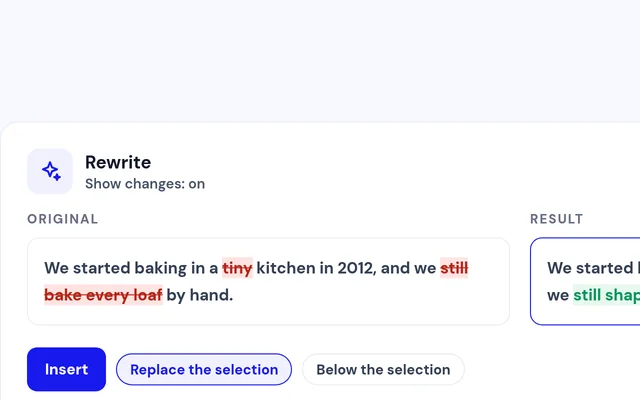
Compare the result with your text, then insert it.


Compatibility
FAQ
Which Joomla and PHP versions does it support?
Joomla 5 and Joomla 6, with PHP 8.1 or later.
Which AI providers can I use?
OpenAI, Anthropic Claude, Google Gemini, Groq, OpenRouter, Mistral, DeepSeek, Ollama and LM Studio, or any OpenAI-compatible address.
Is my API key safe?
The key is stored on your server and is never shown in the browser or on the configuration screen.
Will it mess up my article layout?
Layout-keeping actions only change the words, so paragraphs, headings, styles and shortcodes stay as they were.
Can I control what it costs?
Yes. Set a character limit per request and a monthly request cap for the whole site.
Can I add my own actions?
Yes. Write your own instruction, choose where the result goes and limit the action to the groups you pick.
Ready to add Easy AI Writer to your site?
Read the Easy AI Writer documentation, then pick a plan.
Get Easy AI Writer (opens in a new window)Read the documentation (opens in a new window)