
Easy Share Buttons
Share Buttons Plugin for Joomla
30-day money-back guarantee
Changelog — Easy Share Buttons
Version 2.0.1: 20 October 2026
- Download Key support on the update site (dlid).
Version 2.0.0: 27 August 2026
- Package release: content plugin, system plugin, and module
- Collapsible brand sidebar (left or right)
- Mobile bottom bar with More overflow
- Optional fly-in share or follow panel
- Threads network, hover overlay, and combine-after
- Optional first-party click stats (off by default)
- Easy Meta handshake for title, description, and image
Version 1.0.3: 12 August 2026
- Filters use Joomla category pickers and modal article selectors (same pattern as ReadTime)
- Existing comma-separated filter IDs still work
Version 1.0.2: 31 July 2026
- Avoid strtr() in helper to clear JAMSS false positive on protected shortcode blocks
Version 1.0.1: 30 July 2026
- Brand colour themes: Brand filled, Brand soft, Brand outline
- Shape options: Rounded, Pill, Square
- Size options: Small, Medium, Large
- Stronger hover motion, shadows, and focus styles
- Larger touch targets and polished button typography
- Default theme set to Brand filled
Version 1.0.0: 29 July 2026
- Initial release
- Privacy-first share buttons (no trackers, no share counts)
- Native Web Share API, X, Facebook, LinkedIn, WhatsApp, Telegram
- Pinterest, Reddit, Bluesky, Email, Copy link, Print
- Layouts: Inline, Stacked, Compact, Cards, Floating
- Themes: Classic, Soft, Bold, Minimal, Glass
- Display modes: Icon only, Icon and text, Text only
- Shortcodes: {easy_share} and {share}, plus hide="1"
- Optional UTM parameters on shared URLs
- Category and article filters
- Accessible labels and keyboard focus styles
- Joomla 4 / 5 / 6
Default demo: brand-filled colours with each network identity.
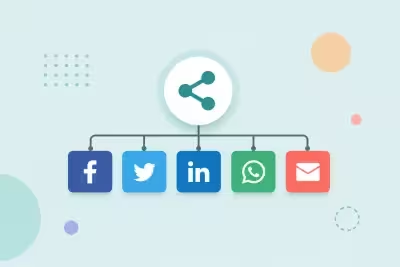
Sharing should be simple and private. Easy Share Buttons adds a clean share row to Joomla articles with native device share, major networks, copy link, and print. No third-party trackers and no share counts.
Use the tabs above to compare layouts and themes. Try Copy link for an on-page toast, and Native share on a phone or supported browser.
Privacy first
Buttons open network share URLs or run on-page actions. Nothing loads Facebook, X, or other tracking scripts into your page.
Shortcodes
Place {easy_share} or {share} where you want the buttons. Use {easy_share hide="1"} to disable output on a single article.
Optional UTM
Turn on UTM in plugin settings to append campaign parameters to shared URLs without adding analytics JavaScript.