
Changelog — Easy WCAG
Version 1.1.3: 03 October 2026
- Download Key support: enter your JoomlaX download key in the plugin's update site (System - Update Sites) so updates install from Joomla's Update button
Version 1.1.2: 03 October 2026
- Pages with many unclosed links no longer slow down. The worst-case test page now takes 0.03 seconds instead of over 30
- Removed a PHP notice on Joomla 4.4
- Invalid characters inside an HTML attribute no longer stop a fix from running
- New time limit and page size limit. Pages over either limit are sent exactly as rendered
- Updating switches the HTML comment summary off on existing sites. You can switch it back on in the plugin settings
Version 1.1.1: 03 October 2026
- Fixed blank pages that could appear when Fix mode was on
- The page source report is now off by default and shown only to administrators
Version 1.1.0: 10 August 2026
- Safe live HTML fixes plus a WCAG-mapped checklist on the rendered page
- Checklist: duplicate IDs, broken ARIA references, unnamed controls, heading outline, page title and lang
- Review flags for filename alt, placeholder labels, and generic control names
- Each fix and each checklist item can be switched on or off
- Custom rules: report, find and replace, regex, or add an attribute
- Developers can add extra PHP rules without forking the plugin
- Super User debug panel on the frontend lists fixes and findings. Visitors never see it
- Exclude components, URLs, menu items, and simple selectors
- HTML comment summary includes FIXED, REPORT, and REVIEW
- No overlay, no CDN, article source stays unchanged
Version 1.0.0: 09 August 2026
- Initial public release of Easy WCAG for Joomla 4, 5, and 6
- System plugin runs after the page is built and leaves article source unchanged
- Modes: Fix, Report only, and Off
- Rules: html lang, missing image alt, iframe title, empty links and buttons, new-window rel and hint, unlabelled inputs, skip to content
- Optional positive tabindex rewrite (off by default)
- Exclude components and URL fragments
- HTML comment summary, optional marks on changed tags
- No jQuery and no CDN
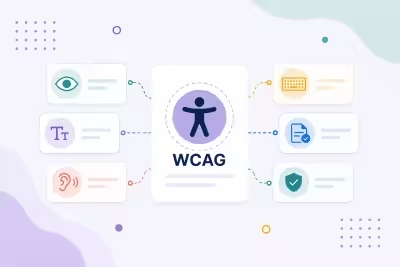
What Easy WCAG can do for you

Fixes in the HTML visitors get
After Joomla builds the page, Easy WCAG fixes common accessibility gaps in the HTML. Your articles stay as you wrote them, and there's no overlay script to load.

Alt text for images
Images missing alt text get one from the file name, decorative images get an empty alt, and file-name alts are listed for you to review.

Names for links, buttons and embeds
Icon-only links and buttons get an aria-label, and iframes get a title such as "YouTube video" or "Google Map".

Clearer forms and new windows
Unlabelled inputs get a label from the placeholder or name, and links that open a new window get a hint and rel="noopener noreferrer".

Skip link and page language
A Skip to content link is added when the page has a main area, and a missing html lang is set from the site language.

A checklist for what needs a person
Duplicate IDs, broken ARIA references, unnamed controls, the heading outline and the page title are listed so you can fix them at the source.

See every fix on the page
Super Administrators get a panel listing the fixes and checklist items for the page they're on. Visitors never see it.

Your rules, your exclusions
Add report, find and replace, regex or attribute rules, and skip components, URLs, menu items or selectors you want left alone.
How it works in 3 steps
Install
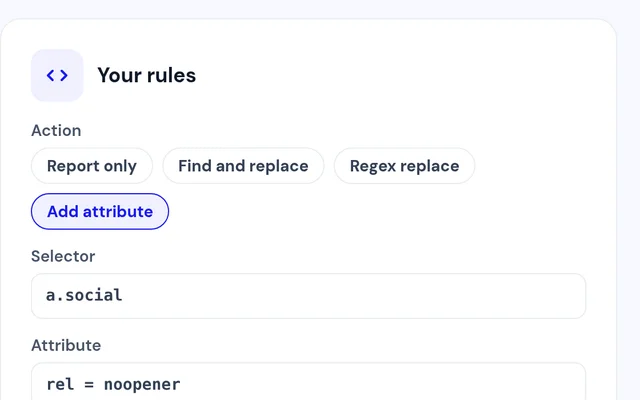
Install the plugin and enable System - Easy WCAG.
Choose a mode
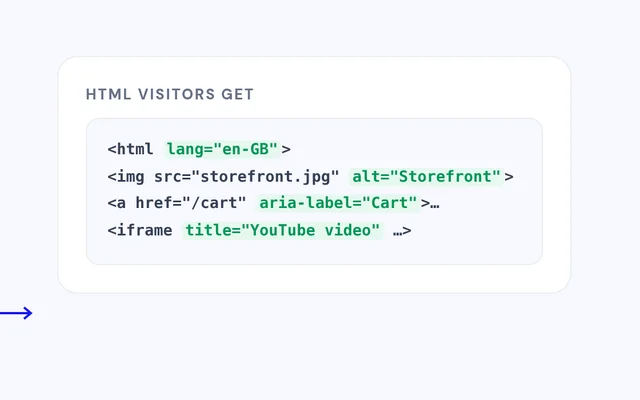
Start with Report only, then switch to Fix.
Check a page
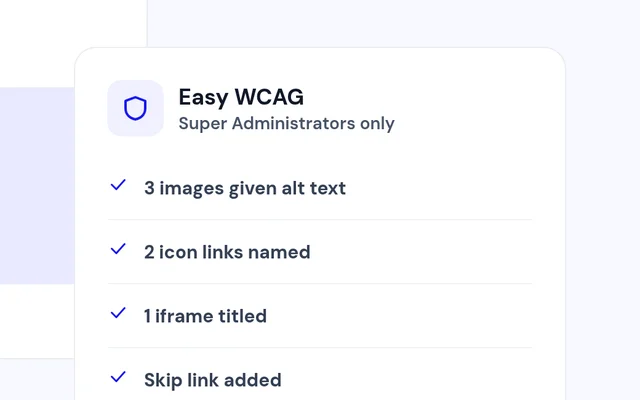
Open your site as a Super User and review the panel.


Compatibility
FAQ
Which Joomla and PHP versions does it support?
Joomla 4, 5 and 6, with PHP 8.1 or later.
Is it an accessibility overlay?
No. It changes the HTML on the server. Visitors don't get a widget or an extra script.
Will it change my articles?
No. Fixes are made to the page as it is sent, and the article source stays the same.
Is it a complete accessibility review?
No. It fixes common gaps and lists what still needs a person to check, which makes your own review quicker.
Can I see what it would change first?
Yes. Report only mode logs the changes without making them.
Can I keep it away from some pages?
Yes. Exclude components, URL fragments, menu items or selectors.
Ready to add Easy WCAG to your site?
Read the Easy WCAG documentation, then pick a plan.
Get Easy WCAG (opens in a new window)Read the documentation (opens in a new window)