
Changelog — Easy Preview As
Version 1.0.2: 20 October 2026
- Download Key support on the update site (dlid).
Version 1.0.1: 19 October 2026
- Runs on Joomla 5 and 6 with the Behaviour Backward Compatibility plugins disabled
- Admin and toolbar assets load through the web asset manager
Version 1.0.0: 08 October 2026
- First release
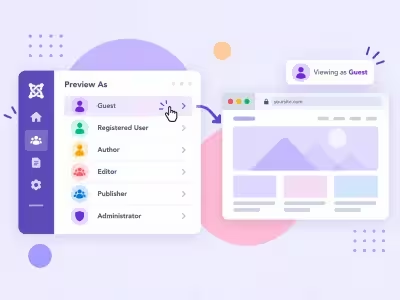
- Preview the public site as Guest or as one or more user groups, without creating a user
- Read-only preview: forms and logins are blocked until you exit
- Saved presets, a site toolbar, and a timed session
- Super User groups cannot be previewed
What Easy Preview As can do for you

See your site as your visitors do
Open the public site as a Guest or as a user group, and see exactly what they can access.

No test accounts needed
Preview without creating a user or logging in as anyone. Passwords and groups stay untouched.

Pick Guest or any mix of groups
Choose Guest, or combine groups. The dashboard shows which access levels each group can see.

Read-only, by design
Forms, logins, registrations, checkouts and uploads are blocked during a preview, with a clear warning.

Switch groups or exit from the page
A toolbar shows who you're previewing as. Switch groups on the same page, or exit in one click. Place it top or bottom, in light, dark or auto.

Save the views you check often
Save a group combination as a preset and reopen it from the dashboard or the presets list.

Fresh content, timed sessions
"Disable caching during preview" is on by default, so previews always show fresh content and are never cached for real visitors. Each session ends on a timer you choose.

Only the right people can preview
Separate permissions control who can start previews and manage presets. Super User groups are never listed, and privileged groups are off by default.
How it works in 3 steps
Choose
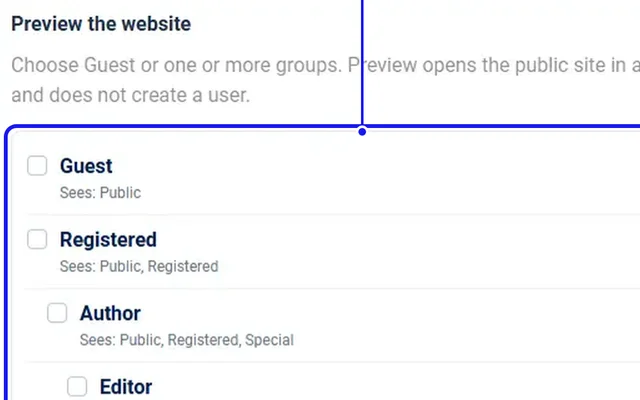
Tick Guest or one or more groups, or pick a preset.
Open Preview
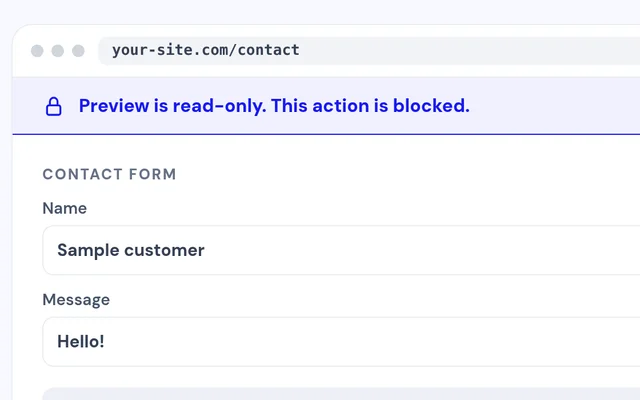
The public site opens as that visitor, read-only.
Switch or Exit
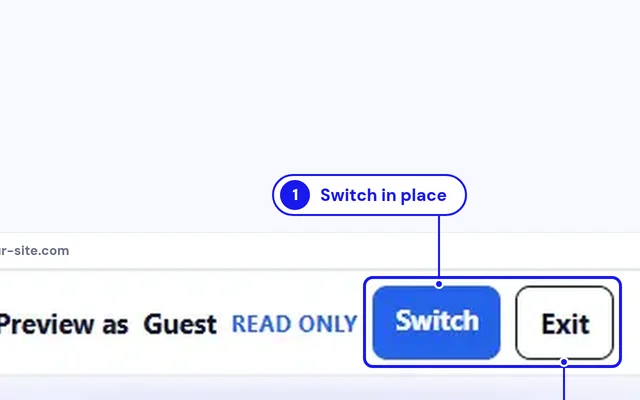
Change groups from the toolbar, or exit when you're done.


Compatibility
FAQ
Which Joomla and PHP versions does it support?
Joomla 4, 5 and 6, with PHP 8.1 or later.
Does it create a user or change any accounts?
No. The preview simulates the group's access, and no user is created or changed.
Can I submit forms or check out during a preview?
No. Previews are read-only, so forms, logins, registrations, checkouts and uploads are blocked with a warning.
Will a preview ever be cached for real visitors?
No. "Disable caching during preview" is on by default and keeps preview pages out of the cache.
How long does a preview last?
15, 30, 60 or 120 minutes, with 30 as the default. You can exit any time.
Can I preview as an Administrator or Super User?
Super User groups are never listed. Manager and Administrator groups appear only if you turn on "Allow privileged groups."
Ready to add Easy Preview As to your site?
Read the Easy Preview As documentation, then pick a plan.
Get Easy Preview As (opens in a new window)Read the documentation (opens in a new window)