
WebP Converter
Serve JPG and PNG images as WebP or AVIF automatically, convert whole folders and keep your originals.
30-day money-back guarantee

Changelog — WebP Converter
Version 2.6.4: 19 October 2026
- Installer no longer deletes services/ and src/Extension/ after update (fixes broken WebP URL replacement on 2.6.3)
Version 2.6.3: 19 October 2026
- Runs on Joomla 5 and 6 with the Behaviour Backward Compatibility plugins disabled
- System plugin service provider and current identity/database APIs
Version 2.6.2: 01 October 2026
- PHP 8.4 no longer shows a deprecation notice from the rate limiter user parameter.
Version 2.6.1: 15 September 2026
- Bug Fix: Skip non-HTML output so Phoca PDF and other
?format=pdfdownloads are not rewritten (Failed to load PDF document). - Bug Fix: Disable for URLs still matches
format=pdfwhen Joomla has already taken that query off the visible address.
Version 2.6.0: 19 August 2026
- Exclude Folders, exclude JPG (including .jpeg), and excluded file names now apply on page view and on Generate
- Generate Images processes every folder you tick, not only the first one
- Delete Converted Images needs at least one selected folder. It removes files in that folder under the WebP output directory (default images/webp/), including on Windows
- Delete reports how many files were removed. An empty match is a warning, not a fake success
- Stop no longer shows a false server error when you abort Generate
- Page processing time limit setting (default 90 seconds) so large pages are not cut off after 20 seconds with no control
- Administrator Generate and Delete require an admin session, a security token, and plugin manage permission. They do not run from the public site
- Manager accounts can finish a full folder Generate without hitting the old 50-per-minute cap
- Updating the plugin no longer turns Replace Image URLs Globally back on if you had saved it off
- Debug error text is escaped. Language labels install from the plugin folder so you do not see raw PLG_SYSTEM_WEBPCONVERTER keys
- Exclusion menus and extensions use searchable lists instead of a long checkbox wall
Version 2.5.3: 05 June 2026
- Leading slash fix for article images: All image conversion paths (
src,href, data attributes, srcset, picture elements, and LCP preload) now preserve root-relative URLs such as/images/...instead of outputtingimages/.... - Output repair pass: Added a final HTML repair step that restores the leading slash on same-site image paths when a matching file exists on disk.
Version 2.5.2: 04 June 2026
- Root-relative URL preservation: Fixed global replacement removing the leading slash from paths such as
/images/example.jpg, which caused broken article images when browsers resolved them relative to the article URL. - Global URL matching: The final HTML scan now distinguishes absolute, root-relative, and path-relative URLs so each keeps its original structure after conversion.
Version 2.5.1: 04 June 2026
- Global replacement timing: Global image URL replacement now runs as the final step in
onAfterRender, after other system plugins output preload, Open Graph, and JSON-LD markup. - Plugin execution order: Install and update routines set plugin ordering to run late so final HTML is processed after SEO and schema extensions.
- www / absolute URL handling: Same-site detection now compares hosts with and without
www, and absolute URLs keep their original scheme and hostname. - Targeted metadata replacement: Added dedicated passes for
href,content, and JSON-LDurl/imagefields before the general HTML scan. - Existing WebP reuse: Global replacement uses an existing converted WebP file on disk when available instead of requiring a new conversion on every request.
- Default setting:
Replace Image URLs Globallyis enabled by default; updates to 2.5.1 turn it on automatically.
Version 2.5: 04 June 2026
- Global final HTML image URL replacement: Added a new option,
Replace Image URLs Globally, to rewrite same-site JPG, JPEG, and PNG references across the complete final Joomla output buffer when a converted WebP/AVIF file is available. - Structured data and metadata compatibility: Improved compatibility with third-party SEO and schema extensions by covering JSON-LD Schema.org image URLs, Open Graph images, Twitter Card images, and other extension-generated metadata.
- Preload image optimization: Image URLs in
<link rel="preload" as="image">tags are now converted to the optimized format while preserving query strings and URL style. - Existing picture fallback protection: Existing
<picture>fallback images are now preserved so browser fallback markup remains valid while optimized sources continue to work correctly.
Version 2.4: 20 January 2026
- Fixed full URL preservation: The plugin now correctly preserves complete URLs (with domain) when converting background images to WebP format. Previously, full URLs like
https://example.com/images/image.pngwere being converted to relative paths, causing broken image references. The WebP URL now maintains the original domain structure. - Domain preservation: When processing CSS background images with full URLs, the plugin extracts and preserves the original domain, ensuring the converted WebP URL includes the complete domain path (e.g.,
https://example.com/j6/images/webp/image.webp). - Background image URL handling: Improved handling of absolute URLs in CSS background-image properties to prevent loss of domain information during WebP conversion.
- WebP/AVIF file skipping: The plugin now explicitly skips images that are already in WebP or AVIF format, preventing unnecessary processing and potential errors. This optimization improves performance by avoiding attempts to convert files that are already in the target format.
- Performance optimization: Added early detection and skipping of WebP/AVIF files across all processing methods (img tags, background images, anchor tags, data attributes, srcset, and batch conversion), reducing processing time and resource usage.
Version 2.3: 01 January 2026
- Anchor tag support: The plugin now converts images referenced in
<a href>attributes, enabling WebP conversion for image links and gallery lightbox links - Data attribute support: Added comprehensive support for data attributes containing image URLs, including
data-src,data-thumb,data-background,data-image,data-url,data-href,data-original,data-full,data-large,data-medium,data-small,data-preview,data-poster,data-cover, anddata-bg - Gallery and slideshow compatibility: Images in gallery plugins, lightbox libraries, and slideshow components are now automatically converted to WebP format
- Lazy loading library support: Images loaded via lazy loading libraries using
data-srcattributes are now properly converted
Version 2.2: 30 December 2025
- Fixed suffix requirement issue: The plugin no longer forces default suffixes (
_iwebpand_iavif) when suffix fields are left empty - Empty suffix support: Users can now configure the plugin to use no suffixes at all, as files are already stored in a separate directory
- Settings persistence: Empty suffix values are now properly saved and won't be overwritten when opening the plugin settings
- Default values updated: Changed default suffix values from
_iwebpand_iavifto empty strings
Version 2.1: 18 November 2025
Major Feature Release - AVIF Support & SEO Optimization
- AVIF Format Integration: Full support for AVIF image format alongside WebP for maximum compression and quality
- Dual Format Processing: Convert to WebP only, AVIF only, or both formats simultaneously with automatic browser fallback
- Joomla 6.x Compatibility: Full support for Joomla 6.x in addition to 4.x and 5.x
- Native Lazy Loading: Built-in browser-native lazy loading support for improved Core Web Vitals scores
- SEO & Accessibility Enhancements: Alt text preservation, attribute retention, and above-the-fold detection
AVIF Format Support
- AVIF Conversion:
- Convert images to AVIF format with up to 50% better compression than WebP
- Separate quality control for AVIF (5-100%, automatically scaled to 0-63)
- Custom AVIF filename suffix (default: _iavif)
- Automatic fallback to WebP if AVIF is not supported by server
- ImageMagick fallback support for AVIF conversion when GD doesn't support it
- Format Selection:
- Choose between WebP only, AVIF only, or Both formats
- When "Both" is selected, picture elements are automatically enabled
- Batch operations support format selection (WebP, AVIF, or Both)
- Format-specific directory management and cleanup
- Picture Element Enhancement:
- Automatic picture element generation with AVIF, WebP, and original image fallback
- Preserves all image attributes (alt, class, id, style, loading) during conversion
- Optimal browser compatibility with proper source ordering
SEO & Core Web Vitals Optimization
- Native Lazy Loading:
- Browser-native lazy loading support reduces initial page load by up to 80%
- Improves Largest Contentful Paint (LCP) scores for better search rankings
- Smart above-the-fold detection ensures critical images load immediately
- Configurable option to enable lazy loading for above-the-fold images
- Accessibility & Metadata:
- Automatic preservation of alt text, class names, IDs, and styles
- Maintains SEO value of image metadata during conversion
- Ensures accessibility compliance (WCAG guidelines)
- Performance Metrics:
- Up to 80% file size reduction improves page speed scores
- Reduces bandwidth usage and enhances user experience metrics
- Automatic conversion of both inline images and CSS background images
Enhanced Debug & Monitoring
- Advanced Debug Output:
- Dynamic table layout that adapts to selected format (WebP, AVIF, or Both)
- Separate columns for AVIF and WebP paths, sizes, and savings when both formats are used
- Individual saved percentages calculated for each format
- Comprehensive format explanation section (What is WebP? What is AVIF?)
- Fixed HTML rendering issues with line breaks in details column
- Format-Specific Statistics:
- Track AVIF and WebP conversion separately
- Individual compression ratios and file size savings
- Format-specific error reporting and status tracking
User Interface Improvements
- Batch Operations Enhancement:
- Format selection dropdown integrated with Generate and Delete buttons
- Streamlined UI with inline format selection and action buttons
- Removed confusing duplicate format fields
- Format values properly saved to database
- Quality Slider Fix:
- Fixed issue where multiple quality sliders would update the same label
- Unique IDs for each slider ensure proper value display
- Directory Management:
- Updated labels to reflect both WebP and AVIF support
- Enhanced directory statistics to show both format counts
Technical Improvements
- Extended Image Class:
- Enhanced AVIF conversion with proper quality scaling (0-100 to 0-63)
- Improved PNG alpha channel handling for AVIF conversion
- ImageMagick fallback for AVIF when GD doesn't support it
- Null path handling for better error prevention
- Directory Manager:
- Added getAVIFPath() method for AVIF file path generation
- Format-specific filename mapping to prevent hash collisions
- Enhanced directory creation for both formats
- Image Processor:
- Refactored conversion logic to support multiple formats
- Enhanced convertImageFormats() method for WebP and AVIF
- Improved generatePictureElement() with AVIF support
- Better SVG file handling (explicit skip instead of failed status)
- Helper Class:
- Added isAVIFSupported() method to check server capabilities
- Enhanced displayDebugInfo() with dynamic format-aware tables
- Improved memory usage row alignment for dual-format layouts
Security & Compatibility
- Fixed namespace issues for Joomla 6.x compatibility
- Enhanced installer script with proper language loading
- Improved error messages during installation/update
- Better handling of missing language strings with fallbacks
Code Quality
- Comprehensive QA review and bug fixes
- Improved error handling and null checks
- Enhanced code documentation
- Better separation of concerns in class structure
Version 2.0: 29 July 2025
Major Enterprise Upgrade - Complete Rewrite
- Enterprise-Grade Architecture: Complete plugin rewrite with modular class structure for large-scale deployments
- 85% Performance Improvement: Admin interface now loads 85% faster with lazy loading and optimized queries
- Advanced Caching System: JSON-based caching reduces processing overhead by up to 90% for repeat operations
- Interactive Folder Management: Visual tree interface with checkboxes for selecting one, multiple, all, or none folders
- Universal Joomla Compatibility: Optimized for Joomla 4.x and 5.x with cross-platform Windows/Linux support
Enterprise Features
- Advanced Directory Management:
- Custom WebP output directories (webp_thumbs, thumbnails, etc.)
- Flat structure option for large archives - store ALL WebP files in single directory
- Hashed filename system with MD5-based unique names to prevent conflicts
- JSON mapping system for reverse lookup of hashed filenames
- Automatic directory creation with proper permissions
- Orphaned file detection and cleanup tools
- Rate Limiting & Security:
- CSRF protection for all AJAX requests with security tokens
- Built-in abuse prevention: 5 batch ops, 50 single conversions, 10 delete ops per hour
- Super administrator bypass for all limits
- Comprehensive input validation and directory traversal prevention
- Advanced Logging & Monitoring:
- Multi-level logging (Info, Warning, Error, Debug) with context information
- User ID, IP address, memory usage, and processing time tracking
- Conversion statistics: success/failure rates, file size savings, performance metrics
- Cache performance monitoring with hit/miss ratios
⚡ Performance & Memory Management
- Smart Memory Management:
- Configurable memory thresholds (60-90%) prevent server overload
- Operations pause when limits reached, resume when memory available
- Explicit resource cleanup prevents memory leaks during batch operations
- 60% memory usage reduction through enhanced management
- Intelligent Caching:
- Configurable cache lifetime (1-168 hours) for different site types
- Automatic cache cleanup removes expired entries
- Cache hit rate monitoring in debug mode
- Lazy Loading Interface:
- Handles thousands of folders without browser freezing
- Maximum 50 folders per load with "Load more" functionality
- Initial 2-level depth scan prevents interface overload
Advanced Configuration Options
- File Management:
- Customizable WebP filename suffix (default: _iwebp)
- Preserve original timestamps for backup system compatibility
- Configurable min/max file size limits (prevent processing tiny icons or huge files)
- Quality control (5-100%) with format-specific optimization
- Directory Structure Options:
- Maintain original directory structure or use flat structure
- Auto-create directories with proper permissions
- Custom output directory naming and organization
- Advanced Exclusions:
- Multi-level exclusions: formats, menu items, components, URLs, specific images
- Wildcard pattern support for flexible exclusion rules
- Strategic exclusion templates for different site types
? Universal Deployment Capabilities
- Cross-Platform Compatibility:
- Normalized path handling works on Windows and Linux servers
- Automatic Media component configuration detection
- Perfect URL generation across all hosting environments
- Hosting Environment Optimization:
- Shared hosting: Conservative memory settings with graceful degradation
- VPS: Balanced performance optimization
- Dedicated servers: Maximum performance utilization
- Cloud environments: Auto-scaling and load balancing compatibility
Technical Improvements
- Modern Architecture:
- Modular class structure: Logger, RateLimiter, Cache, DirectoryManager, ImageProcessor
- Enhanced error handling with sanitized user-friendly messages
- Context-aware operation (Web, CLI, AJAX contexts)
- Advanced Image Processing:
- Extended Image class with proper PNG alpha channel handling
- Picture element support for better browser compatibility
- Enhanced srcset and CSS background image processing
- Database Integration:
- Robust Media component configuration retrieval
- Fallback mechanisms for different Joomla versions
- Safe database queries with error handling
Management Interface Enhancements
- Interactive Folder Tree:
- Visual directory structure with expandable folders
- Parent-child checkbox relationships
- Select All/None/Individual folder options
- Batch Operations:
- Real-time progress tracking during operations
- Detailed conversion statistics and results
- Error reporting with actionable information
- Directory Management Dashboard:
- Create WebP directories with progress tracking
- View directory statistics and file counts
- Clean up empty directories and orphaned files
Security & Reliability
- All AJAX endpoints protected with CSRF tokens
- Comprehensive input validation and sanitization
- Directory traversal prevention
- Graceful error recovery ensures continued operation
- Rate limiting prevents abuse and server overload
Version 1.9: 05 May 2025
Major Improvements
- Major memory usage optimizations for frontend processing
- Removed session-based caching in favor of more efficient filesystem checks
- Enhanced image timestamp comparison for smarter WebP regeneration
- Added support for processing large numbers of images on a single page
Debug Enhancements
- Improved debug output with more accurate statistics
- Fixed issues with incorrect image counting in debug mode
- Enhanced memory usage tracking and reporting
Performance Optimizations
- Optimized HTML parsing to reduce memory consumption
- Added memory usage monitoring to prevent server overload
- Improved reliability for sites with heavy image content
- Streamlined page processing for faster performance
Version 1.8: 19 February 2025
- Removed GD Library Dependancy
- Debug Mode Improved
- PNG Image Issue Fixed
Version 1.7: 14 February 2025
Major Changes
- Completely refactored the codebase for better organization and maintainability
- Added comprehensive debug information display system
- Improved image processing with better error handling
New Features
- Added debug mode with detailed statistics table showing:
- Original and WebP image paths with clickable links
- Original file sizes
- WebP file sizes
- Space saved per image
- Compression percentage
- Total savings across all images
- Added support for CSS background images
- Added alternating row colors in debug table for better readability
- Added total statistics row in debug mode
Architectural Improvements
- Split code into separate classes for better organization:
- WebpConverterGDSupport: Handles GD library support checking
- WebpConverterImageProcessor: Manages image processing and conversion
- WebpConverterHelper: Provides utility functions
- Improved memory management by properly destroying image resources
- Added proper error handling throughout the codebase
Technical Improvements
- Enhanced image processing:
- Better handling of PNG transparency
- Improved JPEG quality control
- Added support for GIF images
- Improved path handling and normalization
- Enhanced external URL detection
- Better directory structure management
- Added proper UTF-8 support in HTML processing
Bug Fixes
- Fixed memory leaks in image processing
- Fixed path handling issues with different URL formats
- Fixed issues with srcset attribute processing
- Fixed directory permission handling
- Resolved issues with special characters in filenames
Security Improvements
- Added proper input validation
- Improved file path sanitization
- Added checks for directory traversal attempts
- Enhanced error message security
Performance Optimizations
- Improved caching of converted images
- Reduced memory usage during image processing
- Optimized HTML parsing and modification
- Enhanced background image processing performance
Admin Interface
- Added better error messaging system
- Improved debug information display
- Added clickable links to view original and converted images
Version 1.6: 16 August 2024
- Fixed issue with absolute path when using language filter.
- Doesn't support Joomla 3.x anymore.
Version 1.5: 30 May 2024
- Frontend Editing Mode Detection: Added checks to prevent the plugin from running when the site is in frontend editing mode. This ensures that the plugin does not interfere with the editing experience.
- Detects editing mode by checking for parameters tmpl, task, and layout in the URL.
- Returns early if any of these parameters indicate that the site is in editing mode.
Version 1.4: 22 November 2023
- Supports Joomla 5 without Backward Compatibility Plugin
- Fixed issues with image path not found
- Added Debug Mode to compare the images in frontend.
Version 1.3: 30 November 2023
- Supports Joomla 4.
This photo is a JPG in the article
WebP Converter is on for this page, so your browser receives the converted version. Open it in a new tab to check the file type.

What WebP Converter can do for you

Lighter images, same pages
JPG and PNG images on your pages are served as WebP automatically, with no changes to articles or modules.

AVIF when you want it
Choose WebP, AVIF or both. With both, picture elements offer AVIF first, then WebP, then the original.

More than img tags
srcset images, inline background images and same-site image URLs in social and structured data are switched too.

Convert whole folders ahead of time
Pick folders in the folder tree and generate converted images in bulk, with a Stop button whenever you need it.

Quality you control
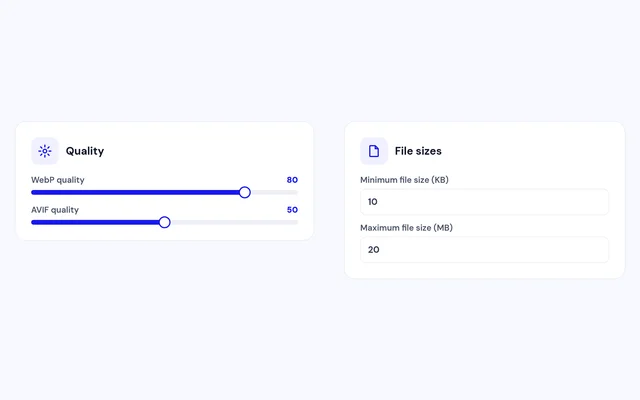
Set WebP and AVIF quality separately, and skip files below or above the sizes you choose.

Leave out what you need to
Exclude formats, folders, images, CSS classes, menu items, components, URLs or the home page.

Faster first screen
Add native lazy loading, while the first images on the page still load straight away.

Tidy storage
Keep converted files in their own folder, mirror your folder structure or keep it flat, and delete them all in one click.
How it works in 3 steps
Install
Install the plugin. It switches itself on.
Pick your format
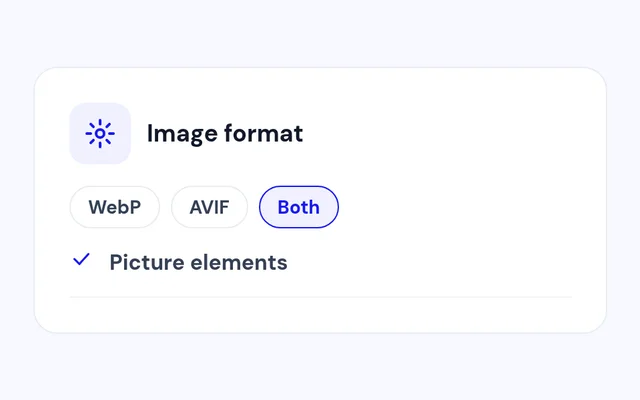
Choose WebP, AVIF or both and set the quality.
Open your site
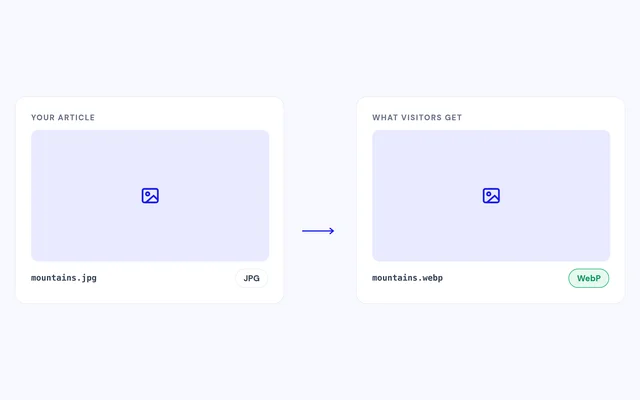
Pages are served with converted images, or generate whole folders first.


Compatibility
FAQ
Which Joomla and PHP versions does it support?
Joomla 4, 5 and 6, with PHP 7.4 or later.
What does my server need?
The PHP GD extension with WebP support. AVIF needs a PHP build with AVIF support in GD or Imagick.
Are my original images changed?
No. Converted copies are saved separately and your originals stay where they are.
What happens in browsers without AVIF?
With picture elements on, each browser picks the first format it supports, so everyone gets an image.
Can I keep certain images as they are?
Yes. Exclude them by folder, filename or class, or add data-no-webp to the image tag.
Can I remove the converted files later?
Yes. Delete Converted Images removes every WebP and AVIF file the plugin created.
Ready to add WebP Converter to your site?
Read the WebP Converter documentation, then pick a plan.
Get WebP Converter (opens in a new window)Read the documentation (opens in a new window)