
Easy Meta
Open Graph, X Cards and canonical tags for Joomla articles, with live share previews and generated share images.
30-day money-back guarantee

Changelog — Easy Meta
Version 1.0.3: 20 October 2026
- Download Key support on the update site (dlid).
Version 1.0.2: 19 October 2026
- Runs on Joomla 5 and 6 with the Behaviour Backward Compatibility plugins disabled
- Plugin helpers and installer use the current database API
Version 1.0.1: 16 September 2026
- Bug Fix: Article Meta tab Facebook preview now shows the selected social image in administrator (absolute site URL, not a relative administrator path).
Version 1.0.0: 17 August 2026
- Initial public release of Easy Meta for Joomla 4, 5, and 6
- System plugin only: Open Graph, X Cards, Pinterest helpers, canonical, robots
- Optional Schema.org JSON-LD (Article, NewsArticle, BlogPosting), Off by default
- Article Meta tab with live share and SERP previews
- Social image pipeline: fallbacks and generated 1200 by 630 JPEG
- Category rules, menu rules, token templates, JSON export and overlay
- Conflict strip for duplicate social tags, plus Super User debug panel
- Metadata health audit in the plugin form
- No jQuery and no template override
What Easy Meta can do for you

Shares that look the part
Open Graph tags give your articles a proper title, description and image when shared on Facebook, LinkedIn and more.

The right card on X
Choose your X card type and add your site and creator handles.

A share image for every article
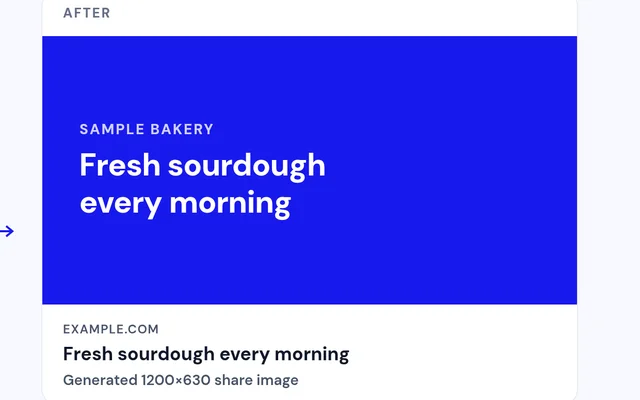
Use the first image in the article, a fallback image or a generated 1200x630 share image, with a focal point you set.

Shape how you show up in search
Add canonical URLs, force HTTPS and set robots options like nosnippet, max-snippet and max-image-preview.

Edit and preview per article
The Meta tab in each article shows live previews for Facebook, X, LinkedIn and Google as you edit.

Rules, not chores
Set category and menu rules with tokens, and titles and descriptions fill in for you. Exclude any component you like.

One clean set of tags
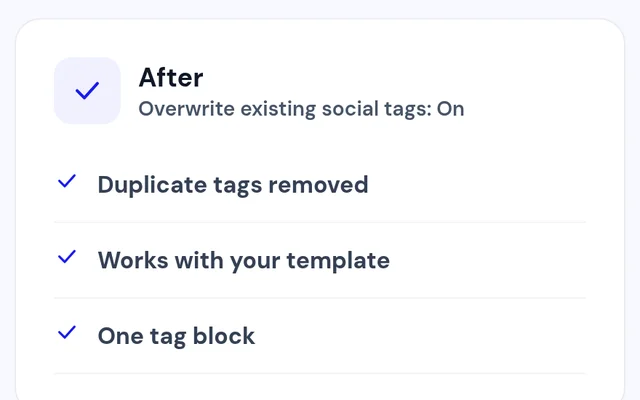
With Overwrite on, Easy Meta removes duplicate Open Graph and X tags added by your template or other plugins.

Check your metadata health
A metadata audit in the plugin settings and a debug panel for Super Users show what Easy Meta outputs.
How it works in 3 steps
Enable
Turn on the Easy Meta plugin.
Set a fallback image
Choose the image shares use when an article has none.
Fine-tune
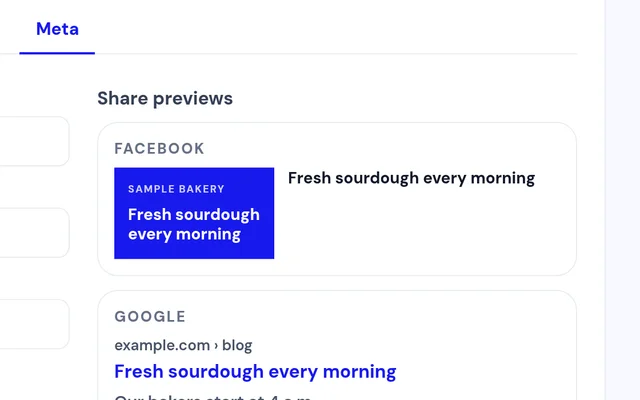
Open an article's Meta tab and check the live previews.


Compatibility
FAQ
Which Joomla and PHP versions does it support?
Joomla 4, 5 and 6, with PHP 8.1 or later. GD is recommended for generated images.
Do I need a template override?
No. Easy Meta is a system plugin and adds the tags for you.
What if my template already adds Open Graph tags?
Turn on Overwrite, and Easy Meta removes the duplicate Open Graph and X tags.
Can I see how an article will look when shared?
Yes. The article's Meta tab shows live previews for Facebook, X, LinkedIn and Google.
Does it add Schema too?
It can. Optional Schema JSON-LD for Article, NewsArticle or BlogPosting is off by default, so you can turn it on when you need it.
Can I set metadata for a whole category at once?
Yes. Category and menu rules use tokens to fill in titles and descriptions.
Ready to add Easy Meta to your site?
Read the Easy Meta documentation, then pick a plan.
Get Easy Meta (opens in a new window)Read the documentation (opens in a new window)