
Easy Login As
Open the public site as a chosen user from the Users list. One-time link, protected groups, and an audit log. Joomla 5 and 6.
30-day money-back guarantee
Changelog — Easy Login As
Version 1.0.2: 20 October 2026
- Download Key support on the update site (dlid).
Version 1.0.1: 19 October 2026
- Runs on Joomla 5 and 6 with the Behaviour Backward Compatibility plugins disabled
- Admin assets and form scripts use the Web Asset Manager
Version 1.0.0: 07 October 2026
- Login as from the Users list, with a one-time link and a return bar.
- Protected groups, viewable groups, and an optional map of administrator group to the groups they may open.
- Button label, same-site redirect URL, and optional email with {admin}, {user}, {username}, and {audit}.
- Audit log for started, returned, expired, reused, and forbidden attempts.
- Buttons on HikaShop, VirtueMart, J2Store, OS Membership, Community Builder, K2, and ExtendedReg lists when those extensions are installed.
What Easy Login As can do for you

See exactly what your customer sees
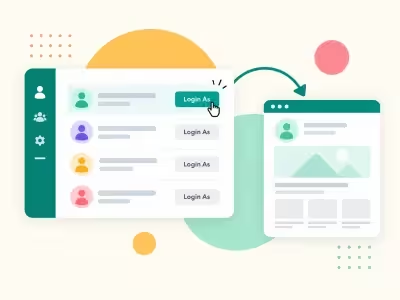
Click Login as on the Users list and open the public site as that person. Check their account yourself, without asking for their password.

Never ask for a password
Each login uses a one-time link that expires in two minutes and works only in the browser that started it. Passwords are never shown or changed.

Step back out in one click
A bar on the site shows whose account you're in. Click Return to end the session.

Decide who can be opened
Choose which user groups can be opened and which stay protected. Groups with Super User permission are always protected.

Give each team the right access
Map each admin group to the user groups it can open, and control the Login as permission through Joomla's access settings.

Work where your customers live
The Login as button also appears on customer lists in HikaShop, VirtueMart, J2Store, OS Membership, Community Builder, K2 and ExtendedReg when they're installed.

Land on the right page
Send each login to a page on your site or a menu item, and set your own button label.

Keep every visit on record
The audit log records each login, return, expired link, reused link and blocked attempt. The dashboard shows today's activity, and you can get an email each time someone logs in as a user.
How it works in 3 steps
Configure
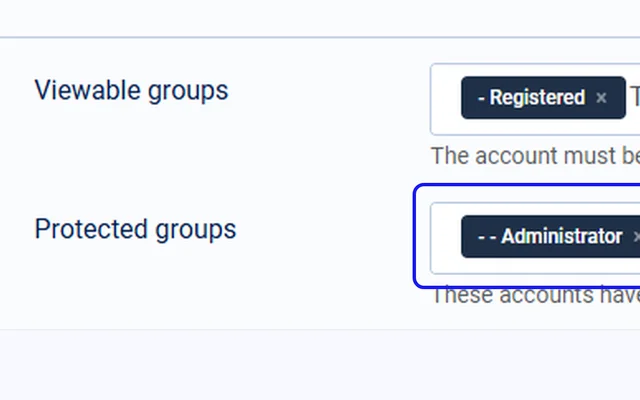
Choose which groups can be opened, who can open them and where each login lands.
Log in as
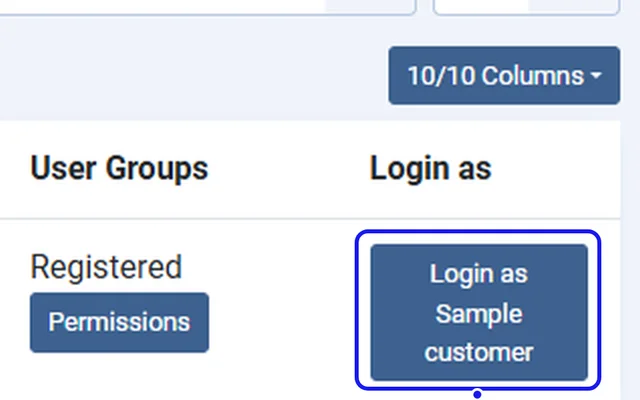
Click Login as on the Users list or a supported customer list.
Return
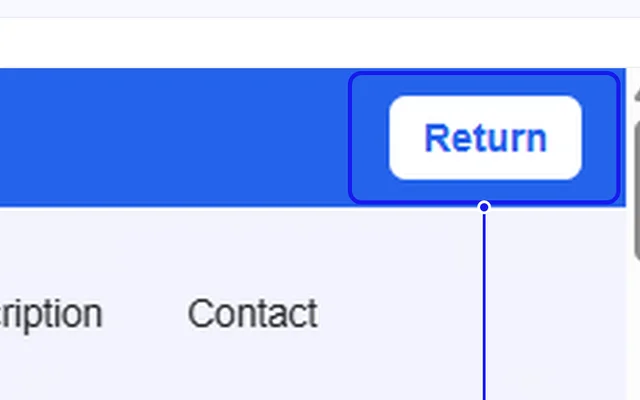
Check the site as that user, then click Return on the bar. The visit is in the audit log.


Compatibility
FAQ
Which Joomla and PHP versions does it support?
Joomla 5 and 6, with PHP 8.1 or later.
Does it show or change the user's password?
No. It uses a one-time link instead, and there is no master password.
What if someone copies the login link?
The link works once, only in the browser that started it, and expires after two minutes. Reused and expired links are refused and logged.
Can an administrator open a Super User account?
No. Groups with Super User permission are always protected.
Can I open users who haven't activated their account?
Only if you allow it. Unactivated users are an option in the settings.
How long are audit records kept?
365 days by default. You can change this in the settings.
Ready to add Easy Login As to your site?
Read the Easy Login As documentation, then pick a plan.
Get Easy Login As (opens in a new window)Read the documentation (opens in a new window)