
Module Parameters Export Import
Export a module's settings to a JSON file and import them into any module, on this site or another. Built into the module editor.
30-day money-back guarantee

Changelog — Module Parameters Export Import
Version 1.0.3: 20 October 2026
- Download Key support on the update site (dlid).
Version 1.0.2: 19 October 2026
- Fixed onContentPrepareForm for Joomla 5 and 6 PrepareFormEvent (SubscriberInterface).
- Stops a site-wide TypeError when forms are prepared with the plugin enabled.
Version 1.0.1: 19 October 2026
- Runs on Joomla 5 and 6 with the Behaviour Backward Compatibility plugins disabled
- System plugin uses Joomla 5 services and the current database API
What Module Parameters Export Import can do for you

Copy a module's setup in one click
An Export/Import tab sits right in the module editor. Export a module's settings, then import them where you need them.

Every setting comes along
Settings are read straight from the database, so hidden fields, subforms and editor content are included.

A plain JSON file you keep
Each export downloads as a named JSON file. Keep it as a backup or put it under version control.

Import with a safety check
A confirmation window shows how many settings will be imported. Nothing is written until you confirm.

Reuse a setup on another module or site
Export from staging and import on live, or from one site to another. Set a module up once and reuse it.

Works with your modules
Use it with core, third-party and custom modules, on the site and in the administrator. No per-module setup.

Repeatable fields stay intact
Repeatable and subform rows, plus editor fields, come through the import as they were.

Safe by design
The tab only appears in the administrator, and every export and import is checked with Joomla's session token.
How it works in 3 steps
Open
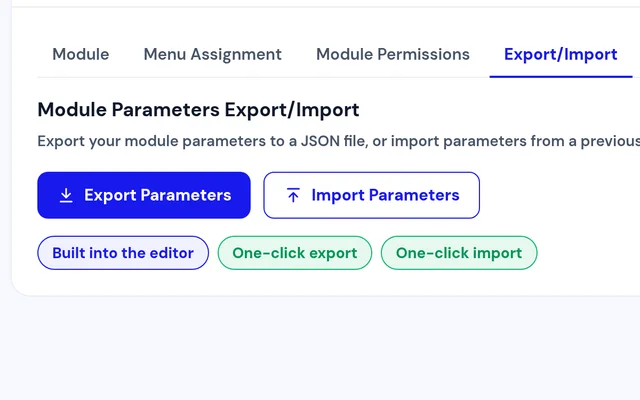
Edit the module you want to copy and go to the Export/Import tab.
Export
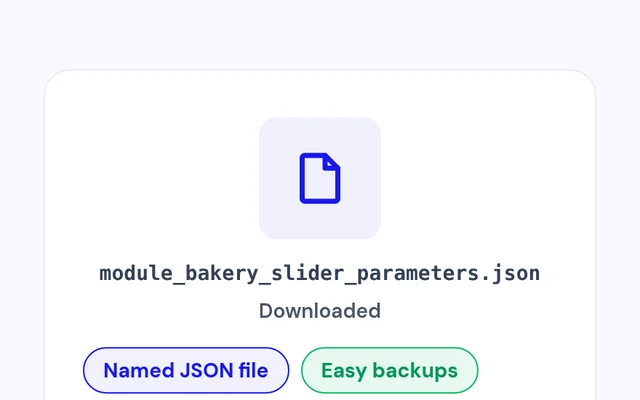
Download its settings as a JSON file.
Import
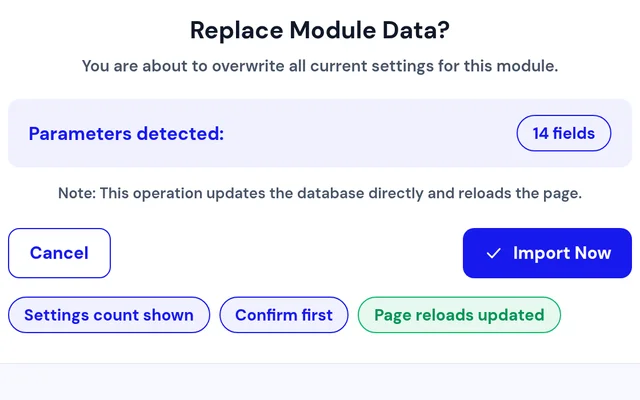
Open the target module, choose the file and confirm.


Compatibility
FAQ
Which Joomla and PHP versions does it support?
Joomla 4, 5 and 6, with PHP 8.1 or later.
Which modules does it work with?
Core, third-party and custom modules, on both the site and the administrator.
What does the export include?
The module's settings, including hidden fields, subforms and editor content.
Can I check before an import changes anything?
Yes. A confirmation window shows how many settings will be imported, and nothing changes until you confirm.
Can I move settings to another site?
Yes. Export the JSON file on one site and import it into a module on the other.
Is there anything to configure?
No. Enable the plugin, and the Export/Import tab appears in the module editor.
Ready to add Module Parameters Export Import to your site?
Read the Module Parameters Export Import documentation, then pick a plan.
Get Module Parameters Export Import (opens in a new window)Read the documentation (opens in a new window)