
Login Redirect Manager
One rule list decides where people land after login, after logout, on their first login and when they open the site.
30-day money-back guarantee

Changelog — Login Redirect Manager
Version 1.0.4: 22 October 2026
- Packaging fix: the plugin packages now unpack cleanly on every server.
- Version alignment: the package, component and both plugins all report 1.0.4.
Version 1.0.3: 20 October 2026
- The installer checks the Joomla version and clearly explains that Joomla 5 or 6 is required.
- Download Key support and the JoomlaX update server in the package.
Version 1.0.2: 20 October 2026
- Download Key support on the update site (dlid).
Version 1.0.1: 19 October 2026
- Runs on Joomla 5 and 6 with the Behaviour Backward Compatibility plugins disabled
- Admin CSS loads through the web asset manager
Version 1.0.0: 06 October 2026
- First release: one rule list for login, logout, first login, and opening the site.
- Menu item, internal URL, external URL, or no redirect, with a simulator and JSON import.
- Super Users stay in the administrator, and rol=no skips the product for that request.
What Login Redirect Manager can do for you

One list for every landing page
After login, after logout, first login and opening the site all live in one rule list, ordered by priority.

Rules for exactly the right people
Match by account, user group, access level, IP address or range, language, the page they signed in from, or a date window.

A proper first welcome
Send new members to a welcome or onboarding page on their first login, then to their usual page after that.

Guests to sign in, members to their area
Opening-the-site rules can send guests to the login page and remembered sessions to their own area, on the front page only or any page.

Test before anyone logs in
The simulator runs the same engine as a real login and shows which rule wins and why, without signing anyone in.

Priorities that read like a plan
Lower numbers are checked first: people and source pages, then roles, then a general fallback. The first match wins.

Safe destinations
Point at a menu item, with its language association, or a URL. External hosts are allowed only from your list, and loops back to login are refused.

Move rules between sites
Export every rule to JSON, then check the file and preview it in the simulator before you save it on another site.
How it works in 3 steps
Install
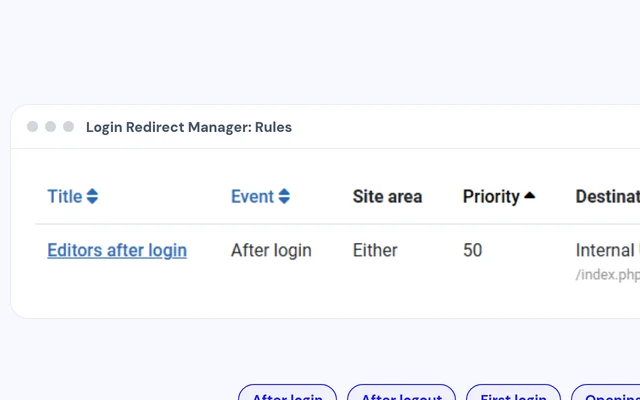
Install the package. The component and both plugins come together.
Add a rule
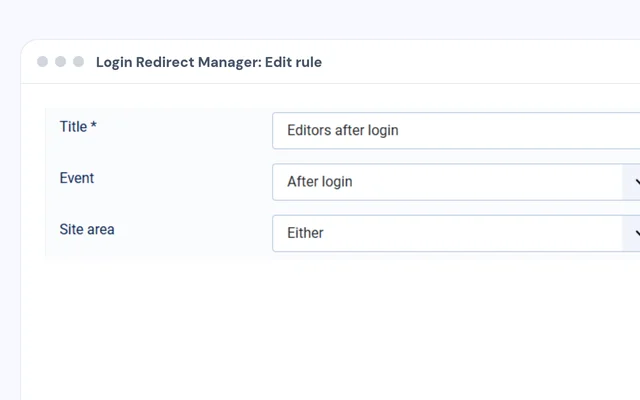
Pick the event, who it's for and where they should land.
Simulate
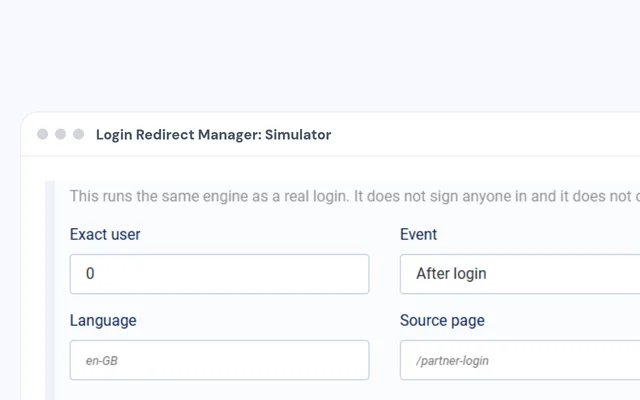
Try a person in the simulator, then publish the rule.


Compatibility
FAQ
Which Joomla and PHP versions does it support?
Joomla 5 and Joomla 6, with PHP 8.1 or later.
What about Joomla's own Redirect on Login plugins?
While Login Redirect Manager is enabled it switches those plugins off, so each login has one destination.
Does it change anyone's groups or permissions?
No. Rules only decide where people land. The optional preferred group on an account affects rule matching only.
Can I redirect administrator logins too?
Yes. Each rule can apply to the public site, the administrator or either, and Super Users keep their way into the administrator.
Can I send people to another website?
Yes, if you add that host to the external URL allow list. With the policy off, every destination stays on your site.
Can I check a rule without logging in as that person?
Yes. The simulator shows which rule wins and why, without signing anyone in.
Ready to add Login Redirect Manager to your site?
Read the Login Redirect Manager documentation, then pick a plan.
Get Login Redirect Manager (opens in a new window)Read the documentation (opens in a new window)