
Easy Login As
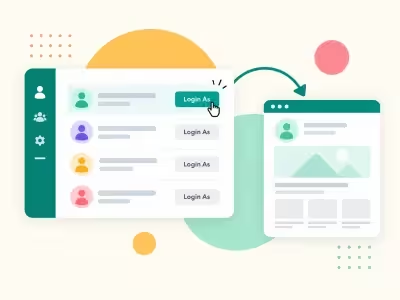
Open the public site as a chosen user from the Users list. One-time link, protected groups, and an audit log. Joomla 4, 5, and 6.
30-day money-back guarantee
Changelog — Easy Login As
Version 1.0.0: 7 October 2026
- Login as from the Users list, with a one-time link and a return bar.
- Protected groups, viewable groups, and an optional map of administrator group to the groups they may open.
- Button label, same-site redirect URL, and optional email with {admin}, {user}, {username}, and {audit}.
- Audit log for started, returned, expired, reused, and forbidden attempts.
- Buttons on HikaShop, VirtueMart, J2Store, OS Membership, Community Builder, K2, and ExtendedReg lists when those extensions are installed.
Component + system plugin
Easy Login As
Open the site as a customer, then come back.
From the Users list, a trusted administrator opens the public site as that person. There is no master password, and the account password is never shown or changed. The steps below are the screens your staff will use.
Step 1
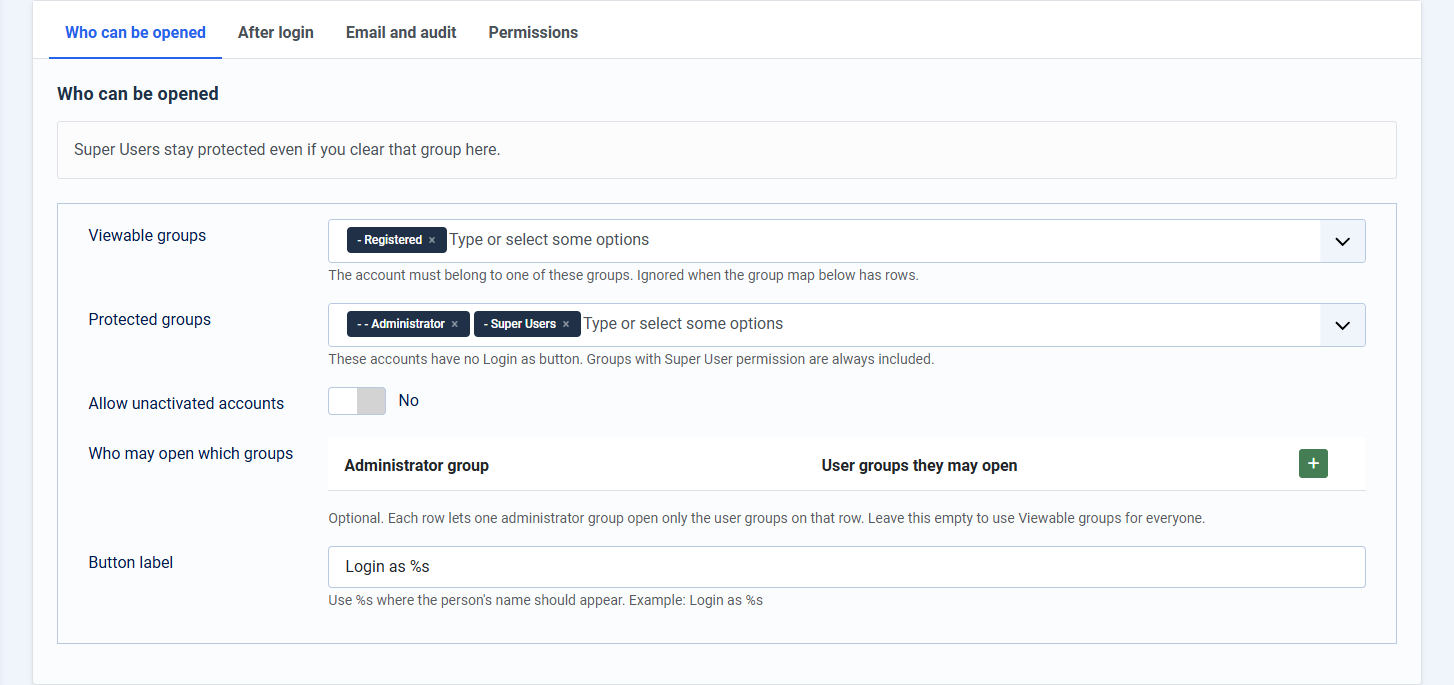
Choose who staff may open
Open Components > Easy Login As > Configuration. Viewable groups are the accounts support may open. Protected groups have no button. Super Users stay protected even if that group is cleared. An optional map can limit one administrator group to a shorter list. The button label uses %s for the person's name.
Step 2
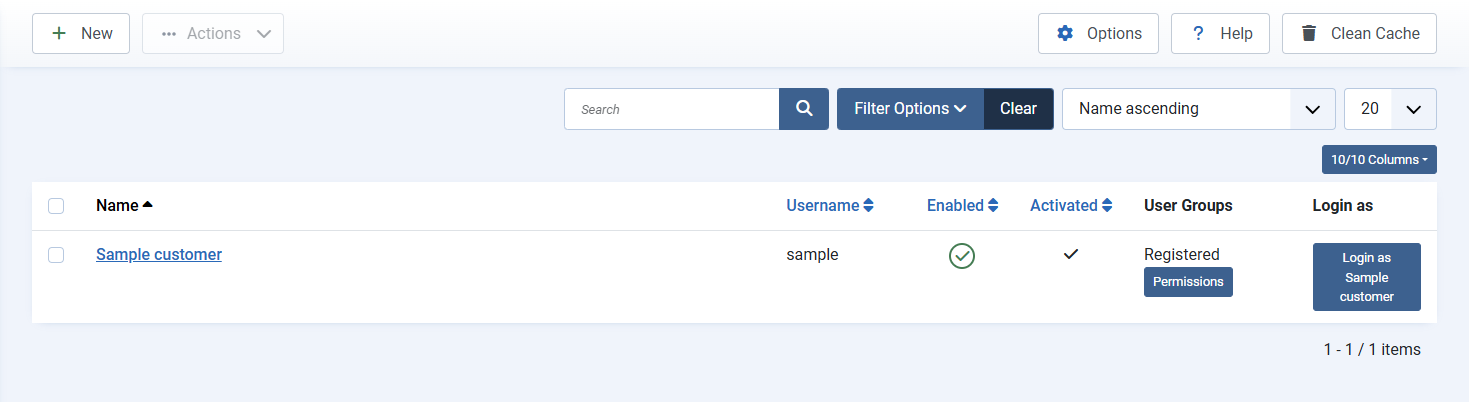
Click Login as on the Users list
Open Users > Manage. Allowed accounts show Login as. The link lasts two minutes, works once, and only in the browser that started it. A copied link is refused. Blocked accounts stay closed, and you cannot open your own account.
Step 3
The public site opens as that person
A bar across the top names the account you are viewing. Menus, modules, and pages then follow that person's groups. Return ends the session. You are back in the administrator, and the audit row records the return.

Step 4
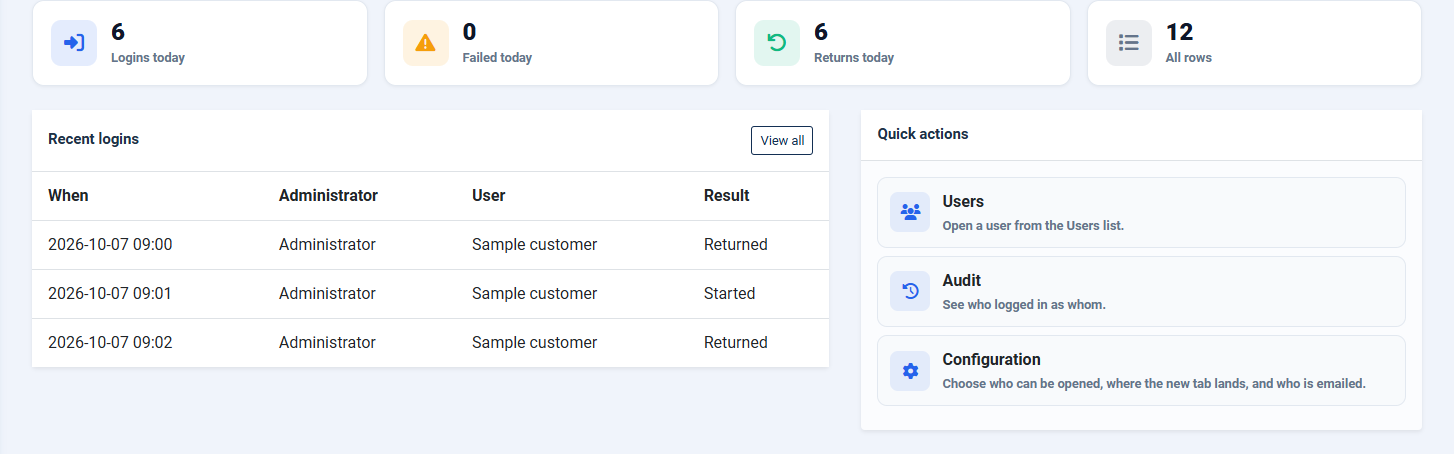
The visit is written down
The dashboard counts started, returned, expired, reused, and forbidden attempts. Optional email can tell you a visit started. The message names the administrator and the account. It never includes the link.
One click from Users
A two-minute, single-use link. A copied link without the matching browser is refused.
Protected groups
Super Users cannot be opened. You choose the other groups support staff may open.
Audit log
Started, returned, expired, reused, and forbidden attempts are stored.
Email, without the link
Optional mail uses {admin}, {user}, {username}, and {audit}. The one-time link stays out of the message.
Same-site landing page
After login, send staff to a page on your site, or to a chosen menu item. Other sites are ignored.
Shop lists too
When HikaShop, VirtueMart, J2Store, OS Membership, Community Builder, K2, or ExtendedReg is installed, the same button can appear on those lists.
First-time setup
Four steps
- Unzip EasyLoginAs_UNZIP.zip and install the package inside.
- Open Components > Easy Login As > Configuration and confirm the viewable groups.
- Go to Users > Manage and click Login as on an allowed account.
- Use Return on the blue bar when you are finished. The audit row records the return.