
Easy User Approval
Hold public registrations until someone you trust allows the account. Joomla 4, 5, and 6.
30-day money-back guarantee

Changelog — Easy User Approval
Version 1.0.0: 07 October 2026
- Public registrations stay blocked until someone approves them.
- Joomla activation mail is suppressed while the plugin is enabled.
- Each recipient gets their own approve, deny, and deny-with-reason links. The first decision wins.
- Queue and Users list actions use the same result, mails, and audit row.
- HTML mail with accent, heading, footer, and button labels, plus a plain text copy.
Component + plugins
Easy User Approval
New public accounts wait until you say yes.
A registration from the public site stays blocked. Joomla does not send its activation mail. You approve from the queue, the Users list, or a mail that only you can decide.
Step 1
See who is waiting
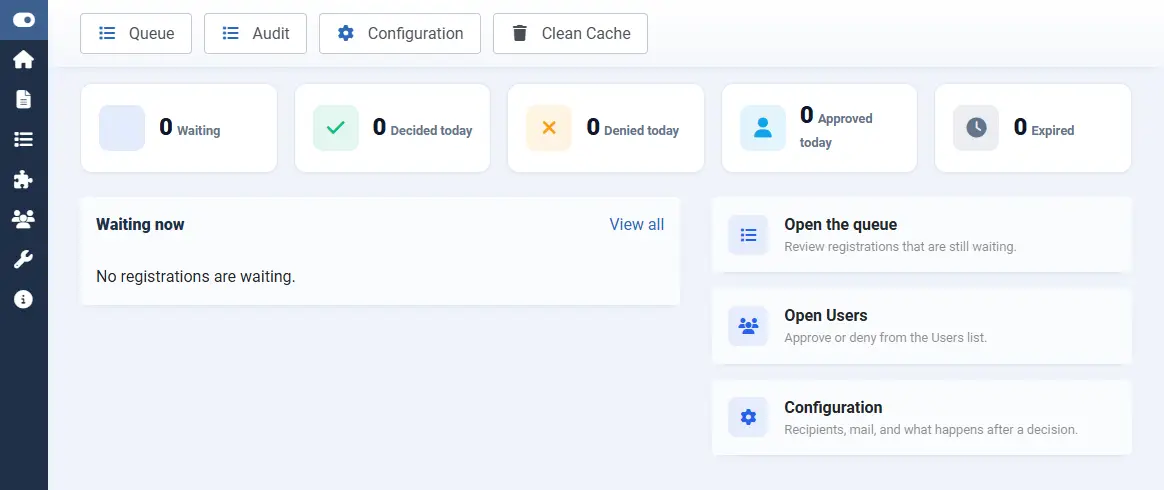
Open Components > Easy User Approval. The dashboard counts waiting, decided, denied, approved, and expired requests. Quick links open the queue, Users, and Configuration.
Step 2
Choose who is asked
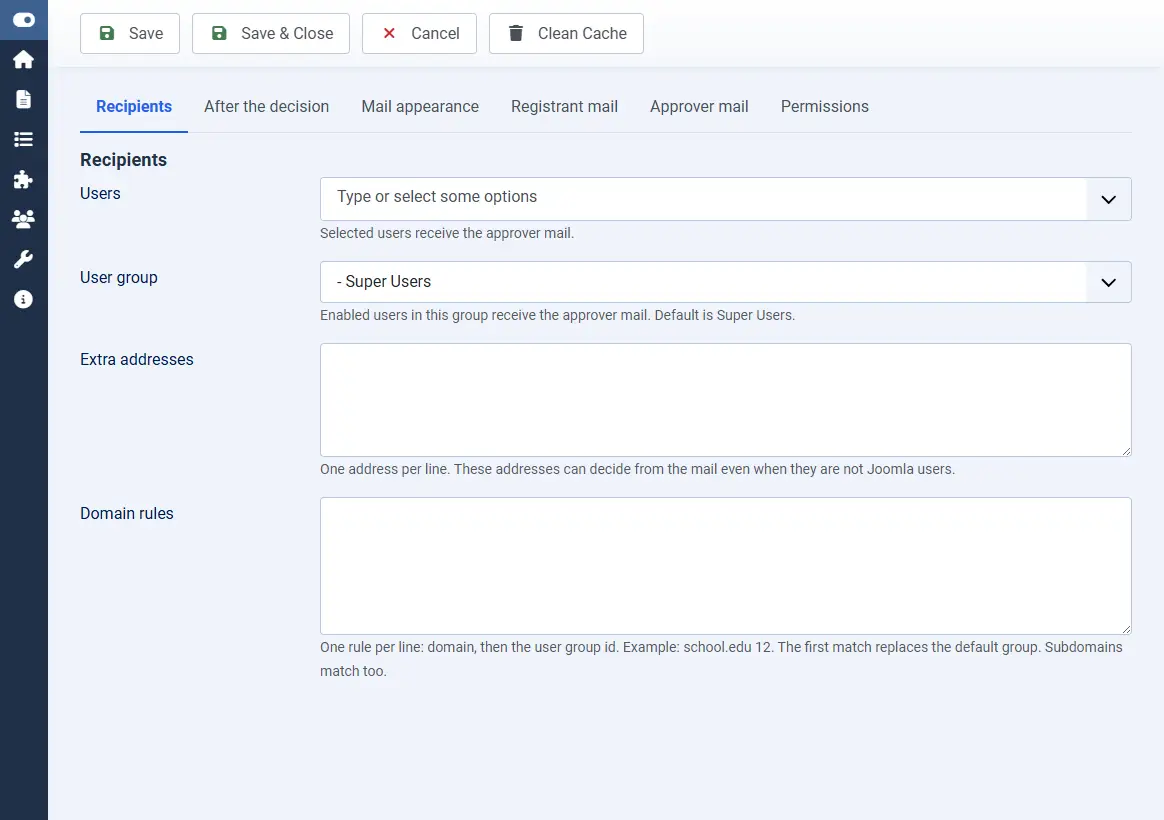
Open Configuration > Recipients. Super Users receive the mail by default. You can add people, extra addresses, and domain rules. A rule is one line: the domain, then the user group id. The first match replaces the group used on approve.
Step 3
Style the decision mail
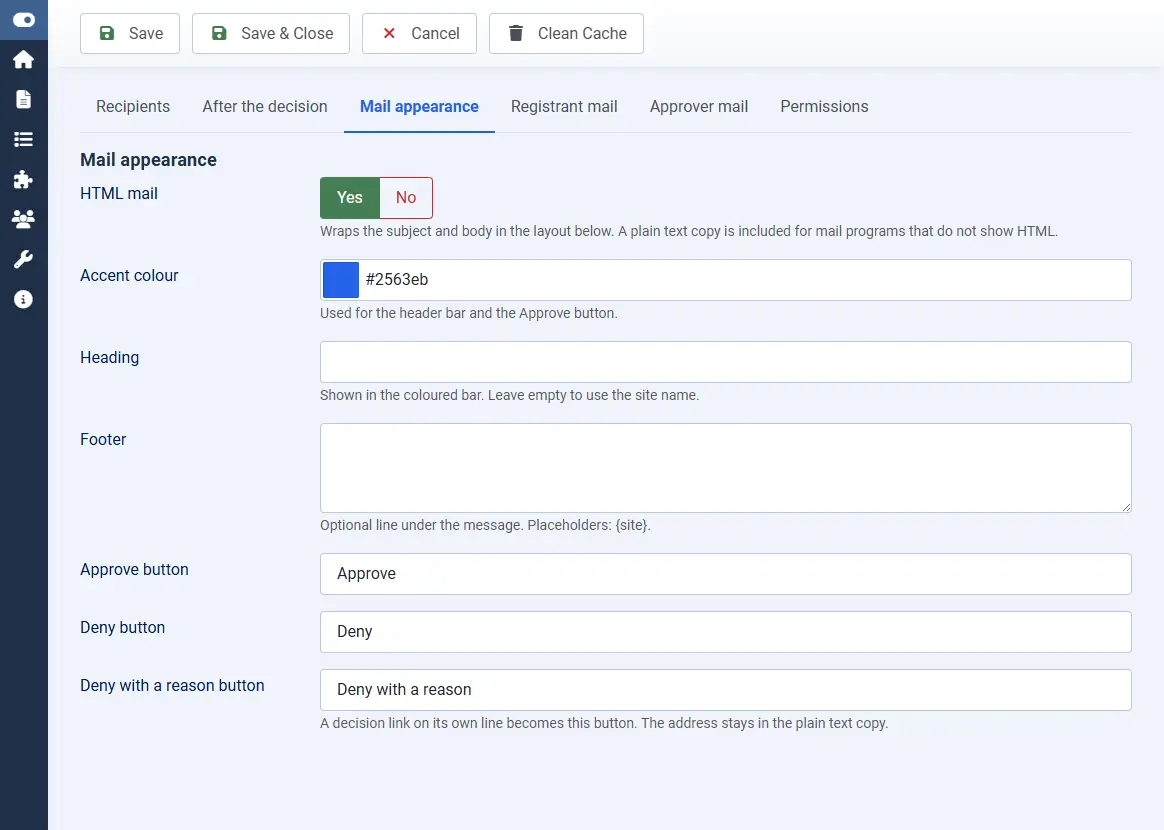
Open Mail appearance. HTML mail is on by default. Set the accent colour, an optional heading and footer, and the labels for Approve, Deny, and Deny with a reason. A decision link on its own line becomes that button. The plain text copy keeps the address.
Step 4
Approve or deny from the queue
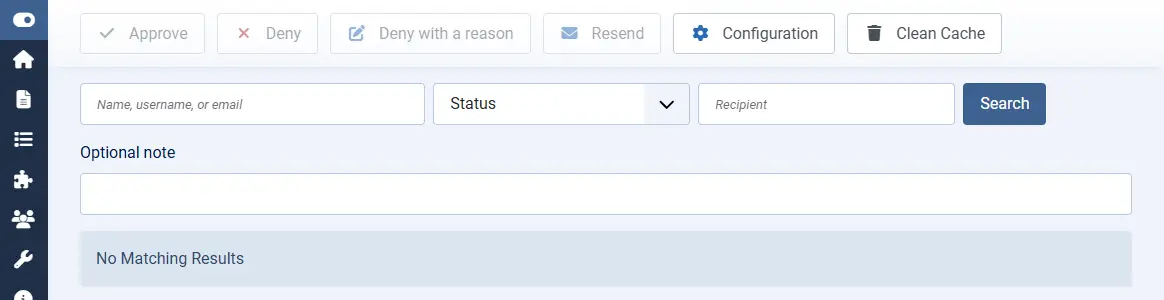
Select a waiting row and choose Approve, Deny, or Deny with a reason. A note is optional except when you deny with a reason. The same buttons appear on the Users list for pending accounts. The first decision wins.
Blocked until approved
The new account cannot sign in. The password they chose is never mailed.
Their own links
Each recipient has a separate token. Opening the link does not decide.
An audit row
Result, channel, decider, reason, and the IP of the decision are stored.
On your site
How a registration is decided
- The person submits Joomla's registration form on the public site.
- The account is stored blocked. They receive a waiting mail with no activation link.
- Each approver receives their own mail, unless the daily digest is on.
- Approve activates the account and assigns the configured group.
- Deny leaves the account blocked, or deletes it, and can include the reason.