Module Parameters Export Import

J4 J5 J6
Plugin to export and import module parameters

Module Parameters Export/Import - Export, Backup, and Import Module Settings with One Click

Module Parameters Export/Import is a powerful Joomla system plugin that adds Export and Import functionality to every module. Export all module settings to JSON for backup, migration, or sharing. Import configurations instantly to copy settings between modules or restore previous configurations.

Export module parameters to JSON for backup and migration, or import settings to quickly copy configurations between any Joomla modules.


Key Features

One-Click Export

Export all module parameters to a JSON file instantly with a single button click. Works with every Joomla module - core modules, third-party extensions, and custom modules.

import export

Safe Import with Confirmation

Import parameters with a professional confirmation modal showing parameter count and warnings to prevent accidental overwrites. The modal displays exactly how many parameters will be imported before you confirm.

Import Confirmation Modal

Screenshot: Import confirmation modal showing parameter count and warning messages

Export/Import Tab Integration

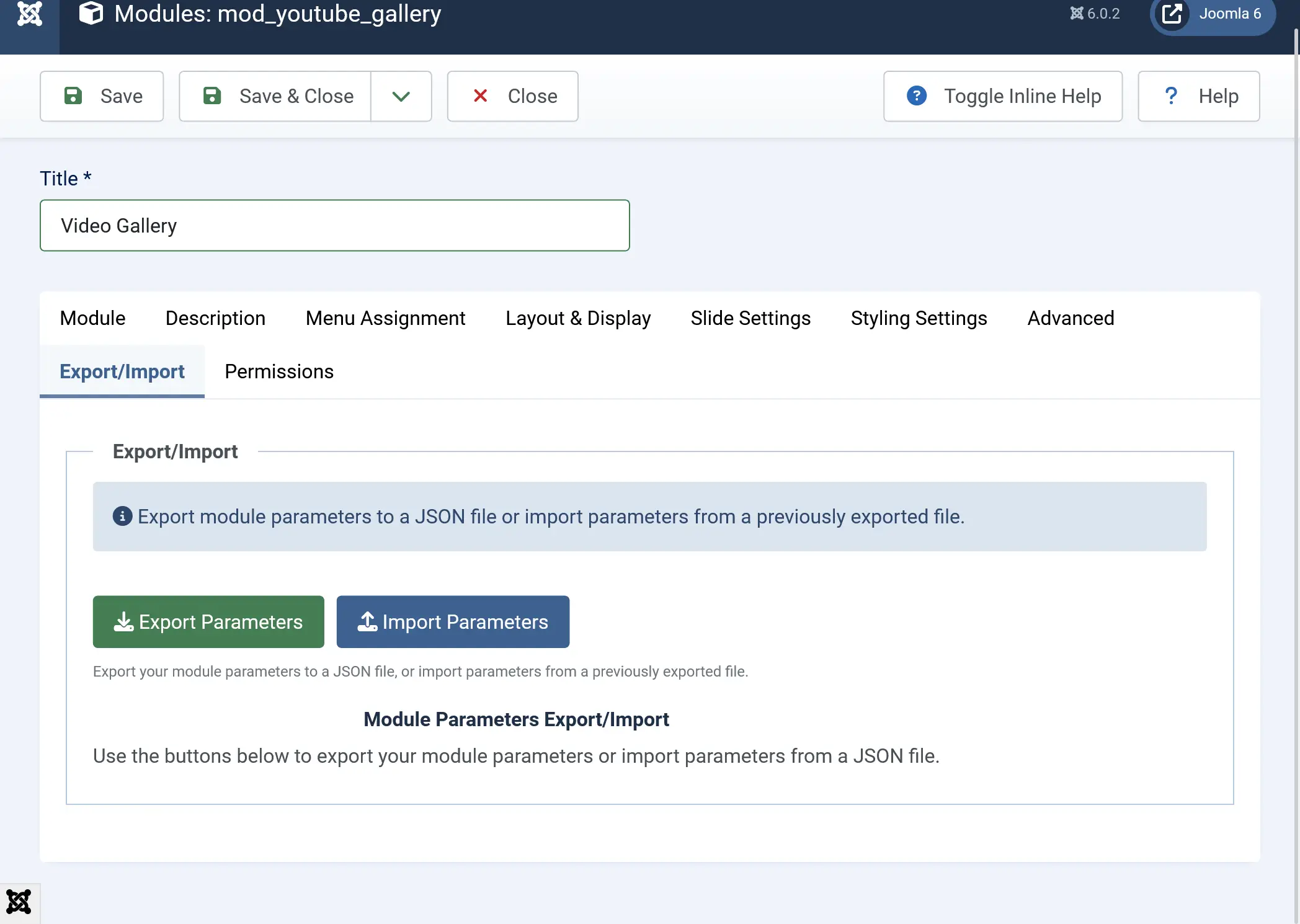
The plugin seamlessly integrates a dedicated "Export/Import" tab into every module edit form. The tab appears automatically after enabling the plugin, providing easy access to export and import functionality.

Module Edit Form with Export/Import Tab

Screenshot: Module edit form showing the Export/Import tab among other module tabs

Universal Compatibility

Works with all Joomla modules without any configuration. No module-specific setup needed - the plugin works out of the box with core modules, third-party extensions, and custom modules.

Subform Support

Fully handles repeatable fields and subforms. Exports nested arrays and automatically creates required rows during import, maintaining all field relationships.

Editor Field Support

Properly handles TinyMCE and all editor fields using JoomlaEditor API, preserving formatting and HTML content correctly during export and import operations.


Perfect For

  • Backup Module Settings - Export configurations as JSON files for backup and version control
  • Site Migration - Transfer module settings when moving to another Joomla site
  • Copy Configurations - Clone complex module settings from one module to another instantly
  • Multi-Site Management - Apply standardized configurations across multiple Joomla sites
  • Development Workflow - Share module settings between development and production environments
  • Restore Settings - Quickly revert to previous configurations if changes don't work out
  • Batch Configuration - Apply same settings to multiple modules by importing exported JSON files

How It Works

Exporting Module Parameters

  1. Navigate to Content → Site Modules (or System → Administrator Modules for admin modules)
  2. Click on the module you want to export
  3. Click on the Export/Import tab
  4. Click the Export Parameters button
  5. A JSON file will be downloaded automatically with the filename: module_[module_name]_parameters.json

Export Process

Screenshot: Complete export process showing the tab, button, and download

Importing Module Parameters

  1. Navigate to the module you want to import parameters into
  2. Click on the Export/Import tab
  3. Click the Import Parameters button
  4. Select the JSON file you want to import
  5. Review the confirmation modal showing parameter count and warnings
  6. Click Import Now to proceed or Cancel to abort
  7. After confirmation, parameters are imported and the page reloads automatically

Import Process

Screenshot: Complete import process from file selection to confirmation


Why Choose This Plugin?

Save Time - Copy complex module configurations instantly instead of manually entering dozens of parameters. No more repetitive form filling.

Eliminate Errors - No more typos or missed settings when copying configurations between modules. The export/import ensures 100% accuracy.

Complete Backup - Export all parameters including hidden fields and complex structures for reliable backups. Database-driven export captures everything.

Site Migration - Transfer module settings easily when migrating to new Joomla installations. Export from old site, import to new site.

Version Control - Export configurations as JSON files for version tracking and rollback capabilities. Keep multiple configuration versions.

Professional Workflow - Streamline module management with export/import functionality built into every module. No external tools needed.


Technical Highlights

  • Database Direct - Exports directly from database for 100% accurate capture
  • CSRF Protected - Secure operations with token validation and permission checks
  • Joomla 4, 5 & 6 Compatible - Full compatibility with modern Joomla versions
  • Professional UI - Clean interface integrated seamlessly into Joomla admin
  • No Coding Required - Simple point-and-click interface anyone can use

System Requirements

  • Joomla 4.0.0 or higher (4.x, 5.x, 6.x)
  • PHP 8.0.0 or higher

Stop manually copying module settings. Export, backup, and import module configurations with confidence using reliable database-driven operations that work with every Joomla module.

Joomla 4, 5 & 6 Compatible | All Module Types Supported | Subform & Editor Fields Included

For support and documentation, visit: https://support.joomlax.com

Website: https://www.joomlax.com

Mobile Menu

×

Login to your account

Don't have an account? Register Now