
Easy Spoiler
Hide spoilers, answers, or extra detail behind a click. Shortcode, styles, and theme colours. No jQuery.
30-day money-back guarantee
Changelog — Easy Spoiler
Version 1.0.0: 2026-11-26
First release of Easy Spoiler for Joomla 4, 5, and 6.
Content plugin
Easy Spoiler
Reveal only when they ask.
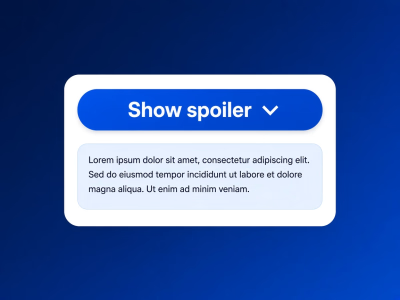
Wrap answers, plot points, or long asides in a shortcode. Visitors tap a clear control to open the panel.
Live on this demo
What to check
These spoilers are live from the plugin. Click each control. Open System → Plugins → Content - Easy Spoiler to change the default style or accent colour, then refresh.
Shortcode
Drop {spoiler}…{/spoiler} in any article. Set title, style, and open state per block.
Accessible
Real button control, keyboard usable, with aria-expanded and a labelled region for the panel.
Four looks
Panel, soft, outline, or pill. Accent colour, corner radius, and custom CSS from the plugin.
No jQuery
Plain CSS and a small deferred script. Works on Joomla 4, 5, and 6 with PHP 8.1 or newer.
First-time setup
Four steps
- Install the plugin zip from EasySpoiler_UNZIP.zip and confirm Content - Easy Spoiler is enabled.
- Set the default label, style, and accent colour under System → Plugins.
- In an article write
{spoiler title="Show spoiler"}Hidden text{/spoiler}. - Open the article on the site and click the control. Clear cache after style changes.