
Plugin
Popup and iframesEasy Popup
Multipurpose Popup System Plugin for Joomla
Instant access after purchaseOne-click Joomla updatesLifetime option available
30-day money-back guarantee
Works with
Joomla 4 Joomla 5 Joomla 6

Changelog — Easy Popup
Version 2.8: 20 October 2026
- Download Key support on the update site (dlid).
Version 2.7: 17 October 2026
- Runs on Joomla 5 and Joomla 6 with the Behaviour - Backward Compatibility plugin disabled.
- Plugin loads through the Joomla service provider.
- jQuery loads through the Web Asset Manager.
Version 2.6: 28 June 2026
- Added Modern (2026) popup theme with blur overlay, rounded panel, accent colour, and coordinated open/close zoom and slide animations
- Added Classic (Legacy) theme option to retain the original Fancybox appearance with pattern backgrounds and image close buttons
- Refactored plugin for Joomla 4.x, 5.x, and 6.x with WebAssetManager asset loading and conditional script/style injection
- Added external
easypopup.jsinitialization with modern transition patching for panel and overlay sync - New admin tab: Modern Popup Design (width, height, margin, blur, accent colour, close button, ibtn styling)
- Expanded opening/closing effects: Zoom, Slide up, and Slide down optimised for the Modern theme
- Fixed inline popup content leaking onto the page — restored legacy hidden
#popinlinewrapper pattern - Fixed
overlay="true"caption class (popup_caption_overlayinstead ofpopup_captiontrue) - Fixed image trigger dimensions —
imgwidthandimgheightnow output proper CSS width/height - Fixed external image URLs (Unsplash, CDN) not being double-prefixed with the site base URL
- Fixed Modern theme yellow
ibtn-yellowbuttons showing white text instead of dark contrast text - Fixed Joomla 500 error caused by incompatible
Eventtype hints on plugin event handlers - Improved image overlay hover fade behaviour and Modern theme image trigger styling with rounded corners
Version 2.5: 17 November 2025
- Compatible with Joomla 6.x
- Added Shortcode Examples tab with 20+ ready-to-use examples and one-click copy functionality
- Enhanced Font Awesome icon support with automatic detection and loading
- Improved image overlay system with customizable colors, opacity, padding, font size, and borders
- Added inline parameter support to override global settings per popup
- Enhanced animation effects with fade, elastic, and none options with customizable speeds
- Improved popup trigger detection and asset loading optimization
- Fixed CSS and JavaScript loading to only occur when popup shortcodes are present
- Enhanced icon rendering for Font Awesome icons in popup links and overlays
- Improved code structure and performance optimizations
- Better error handling and fallback mechanisms
Version 2.4: 09 September 2025
- No more support for Joomla 3.
- Completely refactored popup plugin architecture for better performance and maintainability
- Enhanced popup trigger detection with automatic fallback system
- Improved popup functionality with optimized JavaScript performance
- Single file installation for Joomla 4 & 5
Bug Fixes
- Fixed popup showing when it should be excluded on specific layouts
- Resolved duplicate CSS and JavaScript loading issues
- Fixed parameter name mismatch between PHP code and XML configuration
- Improved exclusion logic for better reliability across different Joomla configurations
Version 2.3: 28 October 2023
- Supports Joomla 5 without Backward Compatibility Plugin
Version 2.2: 18 February 2023
- Updated display div to span.
Version 2.1: 05 February 2023
- Changes to Plugin Backend Parameters
- Option to load jQuery in body removed.
Version 2.0: 24 October 2020
- Supports Joomla 4
Version 1.9: 13 June 2020
- Fixed issue with same content popup
- Option to set RGBA background color
- PHP Fixes
Version 1.8: 05 January 2017
- Uses Joomla Update System
DemoSimple Text to Google Maps
{popup text="Google Maps Popup" url="http://maps.google.com/maps?q=Eiffel+Tower,+Avenue+Gustave+Eiffel,+Paris,+France&t=h&z=17" popwidth="500px" popheight="300px"} {/popup}
DemoImage to Google Maps
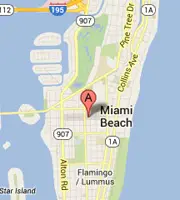
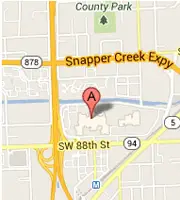
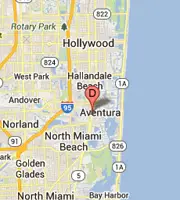
{popup class="imgleft imgmargin-5" image="images/maps/gmap.webp" url="https://maps.google.com/maps?q=Apple+Store&hl=en&ll=25.808237,-80.147495&spn=0.185601,0.357571&sll=25.76604,-80.108013&sspn=0.185667,0.357571&t=m&radius=13.36&hq=Apple+Store&z=13"  popwidth="700px" popheight="500px"} {/popup}
{popup class="imgleft imgmargin-5" image="images/maps/gmap1.webp" overlaytext="View Maps" overlaytextborder="2" overlayopacity="0.8" overlaybgcolor="#ff5555" url="https://maps.google.com/maps?q=Apple+Store&hl=en&ll=25.693977,-80.316238&spn=0.09289,0.178785&sll=25.692508,-80.311174&sspn=0.092891,0.178785&t=m&radius=6.68&hq=Apple+Store&z=14&iwloc=A"  popwidth="700px" popheight="500px"} {/popup}
{popup class="imgleft imgmargin-5" image="images/maps/gmap2.webp" icon="fa-map-marker" overlayopacity="0.8" overlayfontsize="30px" url="https://maps.google.com/maps?q=Apple+Store&hl=en&ll=25.906792,-80.124664&spn=0.75846,1.430283&sll=25.888879,-80.130157&sspn=0.758575,1.430283&t=m&hq=Apple+Store&z=11"  popwidth="700px" popheight="500px"} {/popup}
{clearfix}
DemoButtons to Google Maps
{popup class="ibtn ibtn-red imgleft imgmargin-5" text="Google Maps Popup" url="http://maps.google.com/maps?q=Eiffel+Tower,+Avenue+Gustave+Eiffel,+Paris,+France&t=h&z=17" popwidth="700px" popheight="300px"} {/popup}
{popup class="ibtn ibtn-green imgleft imgmargin-5" icon="fa-map-marker" text="Google Maps Popup" url="http://maps.google.com/maps?q=Eiffel+Tower,+Avenue+Gustave+Eiffel,+Paris,+France&t=h&z=17" popwidth="600px" popheight="300px"} {/popup}
{clearfix}