
Easy Live Search
Visitors see matching results as they type. Search articles, contacts, categories, and optional shop or directory listings in a keyboard-friendly dropdown.
30-day money-back guarantee
Changelog — Easy Live Search
Version 1.0.3: 27 November 2026
- J2Commerce products on Joomla 6 now appear in results.
- A fresh install searches articles immediately, without opening and saving the module first.
Version 1.0.2: 27 November 2026
- The search box stays readable in Helix Ultimate dark mode.
- Phoca Cart, VirtueMart, and J2Commerce only show products in published, accessible categories.
Version 1.0.1: 27 November 2026
- Shop and contact results respect viewer access.
- Third-party shop sources are off by default.
- The download key is entered under System > Update Sites. The package includes a Download Key (dlid) so keyed updates from JoomlaX work.
- Licence text is GNU GPL version 2 or later.
Version 1.0.0: 27 November 2026
- First release. Live search for Joomla 4.4, 5, and 6.
Module and Ajax plugin
Easy Live Search
Results as you type.
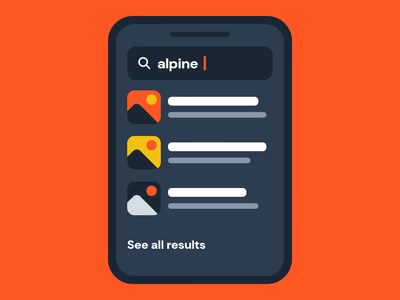
Type a few letters and matching public articles appear, with thumbnails, while you type. Try the word joomla.
Live on this demo
Try a search
Both boxes search the public articles on this site. Light and dark are two instances of the same module, each with its own theme.
Light
Dark
As you type
Results update after a few characters, so visitors can jump straight to the article they meant.
Thumbnails
Article images are shown next to the title and a short snippet, so the right page is easy to recognise.
Light and dark
Pick a light or dark theme, plus your accent colour, without writing CSS.
Your content
Search articles by default, and optionally categories, contacts, and shop or directory items if those are installed.
First-time setup
Four steps
- Install the package zip from EasyLiveSearch_UNZIP.zip. The module and the Ajax plugin are enabled for you.
- Open the Easy Live Search module, choose a theme, and turn on thumbnails if you want images in the results.
- Publish the module on the pages where visitors should be able to search.
- Type a few letters in the box. Matching articles appear as you type.